> ## Documentation Index
> Fetch the complete documentation index at: https://docs.crossmint.com/llms.txt
> Use this file to discover all available pages before exploring further.
# Agent Cards
> Save a user's card once, then issue as many scoped, revocable agent cards from it as your agents need
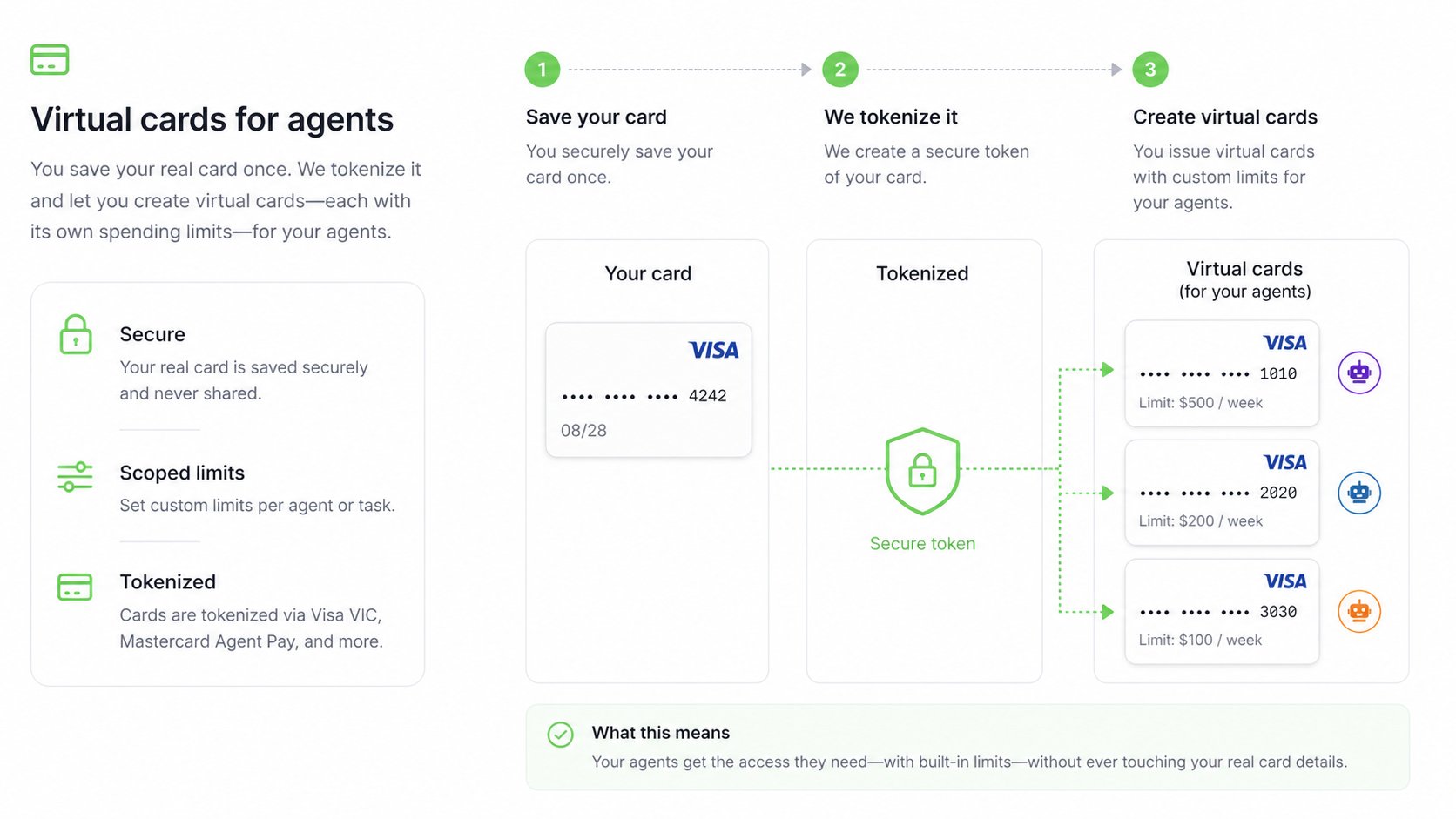
 Your user saves their real card once. From that card, you create as many **scoped authorizations** as your agents need, each with its own limit, purpose, and expiration. Crossmint calls these order intents. From an order intent, the agent mints a credential on whichever rail the purchase needs, and pays without ever seeing the real card number.
For the problem this solves and how it compares to other approaches, read [How Agents Pay](/agents/how-agents-pay).
## Key Features
One saved card backs any number of scoped agent cards
Every agent card has an amount, a purpose, an expiration, and optionally a merchant
Visa Intelligent Commerce and Mastercard Agent Pay hold the limit, not your code
Agents receive one-time or encrypted credentials from a PCI-compliant vault
Network tokens, encrypted card, and protocol credentials such as SPT from the same authorization
The user cancels an agent card or deletes the saved card at any time
## How It Works
Your app renders a Crossmint-hosted secure iframe. The card goes straight into Crossmint's PCI-compliant vault and never touches your servers.
Each agent card is an order intent: an allowance with an amount, description, expiration, and optionally a merchant. Create one per agent, per task, or per purchase. The user approves it with a passkey or a network-hosted step, and can cancel it at any time.
From an approved agent card, the agent mints the credential the purchase needs: a one-time card number bounded by the allowance, an encrypted card for cards outside the network programs, or a protocol credential. A network-issued credential is bounded to the allowance, expires, and is revoked with the agent card. The encrypted card is the saved card itself, so keep the purchase within the allowance and cancel the agent card when it is no longer needed.
## Rails
One agent card can mint credentials on several rails. Pick the rail the purchase needs; the rest stay unused.
| Rail | What the agent receives | Limit enforced by |
| ------------------------- | ----------------------------------------------------------------------------------------- | ----------------------- |
| Visa Intelligent Commerce | One-time card number or network token bounded by the allowance | Visa |
| Mastercard Agent Pay | One-time card number or network token bounded by the allowance | Mastercard |
| Encrypted card | The saved card encrypted to a key only the agent holds, when no network rail is available | Your allowance handling |
| SPT | A protocol-specific credential for merchants and services that accept it | The protocol |
Depending on the rail, the credential is delivered as a one-time card number, a network token, or a protocol-specific format such as MPP.
## Get Started
Run the reference app: sign in, save a card, authorize an agent card, and mint a credential
See the full flow without setting anything up locally
## Guides
Collect a user's card in a PCI-compliant iframe
Discover the rails a saved card supports
Create and authorize a scoped order intent
Mint a credential from an approved agent card
Style the approval modal to match your brand
Cancel an agent card or delete a saved card
## API Reference
Create, list, and delete saved cards
Create, mint credentials from, and revoke agent cards
## FAQs
No. The agent receives a one-time card-network credential minted for a specific amount, or, when no network rail is available, a copy of the saved card encrypted to a key the agent controls. The real card stays in Crossmint's PCI-compliant vault.
Yes. Every purchase runs on the user's own card, so the card's normal protections apply. Nothing is prefunded and no new account is opened.
The agent card includes an encrypted-card rail. Minting from it returns the saved card encrypted to a public key you supply, so the agent can still pay while the card details stay out of transit logs. In production this rail is available only for projects with encrypted card access enabled.
Yes. [Agent Checkouts](/agents/checkouts/overview) accepts any method the merchant supports, and a Crossmint Agent Card is the recommended one. See [Choose a Payment Method](/agents/payment-flows/agent-checkouts-payment-method).
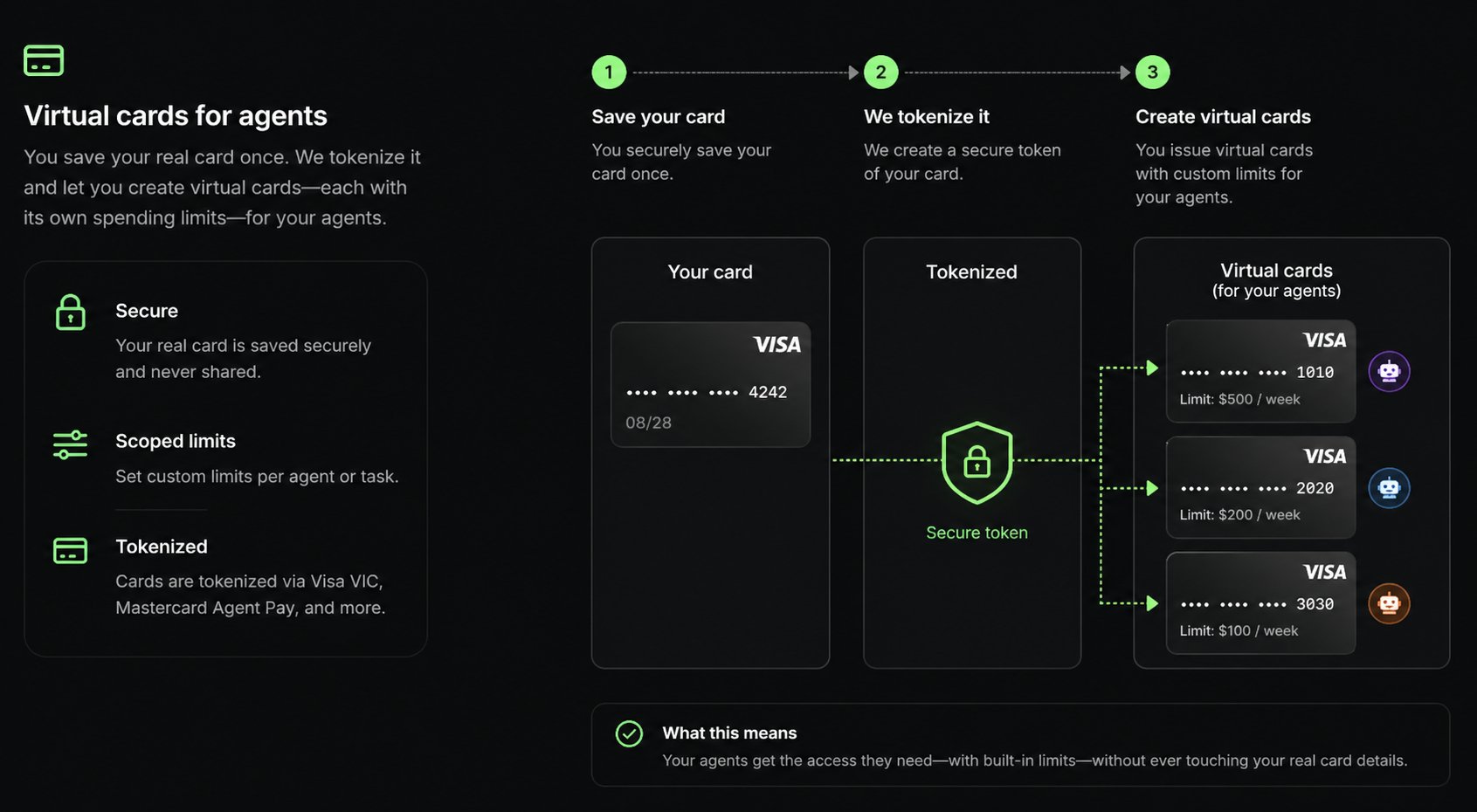
Your user saves their real card once. From that card, you create as many **scoped authorizations** as your agents need, each with its own limit, purpose, and expiration. Crossmint calls these order intents. From an order intent, the agent mints a credential on whichever rail the purchase needs, and pays without ever seeing the real card number.
For the problem this solves and how it compares to other approaches, read [How Agents Pay](/agents/how-agents-pay).
## Key Features
One saved card backs any number of scoped agent cards
Every agent card has an amount, a purpose, an expiration, and optionally a merchant
Visa Intelligent Commerce and Mastercard Agent Pay hold the limit, not your code
Agents receive one-time or encrypted credentials from a PCI-compliant vault
Network tokens, encrypted card, and protocol credentials such as SPT from the same authorization
The user cancels an agent card or deletes the saved card at any time
## How It Works
Your app renders a Crossmint-hosted secure iframe. The card goes straight into Crossmint's PCI-compliant vault and never touches your servers.
Each agent card is an order intent: an allowance with an amount, description, expiration, and optionally a merchant. Create one per agent, per task, or per purchase. The user approves it with a passkey or a network-hosted step, and can cancel it at any time.
From an approved agent card, the agent mints the credential the purchase needs: a one-time card number bounded by the allowance, an encrypted card for cards outside the network programs, or a protocol credential. A network-issued credential is bounded to the allowance, expires, and is revoked with the agent card. The encrypted card is the saved card itself, so keep the purchase within the allowance and cancel the agent card when it is no longer needed.
## Rails
One agent card can mint credentials on several rails. Pick the rail the purchase needs; the rest stay unused.
| Rail | What the agent receives | Limit enforced by |
| ------------------------- | ----------------------------------------------------------------------------------------- | ----------------------- |
| Visa Intelligent Commerce | One-time card number or network token bounded by the allowance | Visa |
| Mastercard Agent Pay | One-time card number or network token bounded by the allowance | Mastercard |
| Encrypted card | The saved card encrypted to a key only the agent holds, when no network rail is available | Your allowance handling |
| SPT | A protocol-specific credential for merchants and services that accept it | The protocol |
Depending on the rail, the credential is delivered as a one-time card number, a network token, or a protocol-specific format such as MPP.
## Get Started
Run the reference app: sign in, save a card, authorize an agent card, and mint a credential
See the full flow without setting anything up locally
## Guides
Collect a user's card in a PCI-compliant iframe
Discover the rails a saved card supports
Create and authorize a scoped order intent
Mint a credential from an approved agent card
Style the approval modal to match your brand
Cancel an agent card or delete a saved card
## API Reference
Create, list, and delete saved cards
Create, mint credentials from, and revoke agent cards
## FAQs
No. The agent receives a one-time card-network credential minted for a specific amount, or, when no network rail is available, a copy of the saved card encrypted to a key the agent controls. The real card stays in Crossmint's PCI-compliant vault.
Yes. Every purchase runs on the user's own card, so the card's normal protections apply. Nothing is prefunded and no new account is opened.
The agent card includes an encrypted-card rail. Minting from it returns the saved card encrypted to a public key you supply, so the agent can still pay while the card details stay out of transit logs. In production this rail is available only for projects with encrypted card access enabled.
Yes. [Agent Checkouts](/agents/checkouts/overview) accepts any method the merchant supports, and a Crossmint Agent Card is the recommended one. See [Choose a Payment Method](/agents/payment-flows/agent-checkouts-payment-method).