> ## Documentation Index
> Fetch the complete documentation index at: https://docs.crossmint.com/llms.txt
> Use this file to discover all available pages before exploring further.
# Quickstart ⚡
> Mint credentials that users control, share, and verify anywhere in under 5 minutes
In this quickstart you will learn how to create, issue, and verify credentials.
## What are credentials?
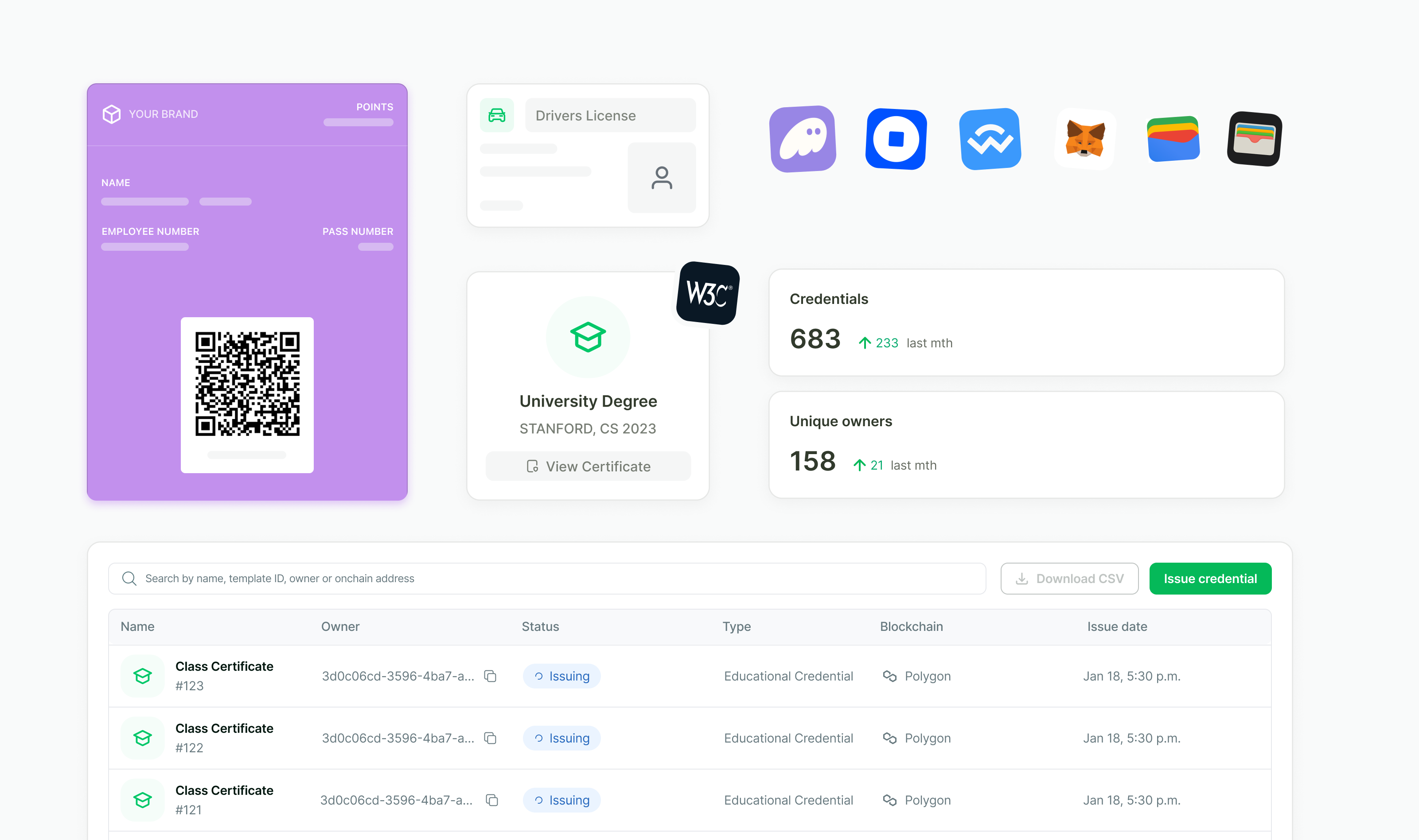
A digital credential is an electronic record issued by a trusted source that certifies specific information about a person or entity. Crossmint makes it easy to issue, manage, and verify credentials onchain, following the [W3C VC standard](https://www.w3.org/TR/vc-data-model-2.0/).
 Verifiable Credentials is an Enterprise feature. Contact Sales{" "}
for access.
## Integration steps
### 1. Create a Developer Account
### 2. Get an API Key
Within the "Server-side keys" section, click the "Create new key" button in the top right.
Then, check the scopes `credentials.create`, `credentials.read`, and `credentials:templates.create` under the "Verifiable Credentials"
category and create your key. Save this key for the next step.
### 3. Create a Credential Template
Every Verifiable Credential must belong to a template. Verifiable Credentials within a template share the same schema (referred to as "type" in the template definition), default-metadata, encryption, storage, and chain configurations. A credential template is equivalent to an NFT collection.
For the purpose of this quickstart, we will create a template with the following parameters:
* Type: `crossmint:bedea4c5-4cea-425b-99c7-797ecbc8bc13:CourseCompletionCertificate`. Types allow you to specify the attributes you are interested in certifying. They also act as a protective measure, preventing the addition of unauthorized fields and, as a result, the tampering of the Verifiable Credential. You can [define your own](/minting/verifiable-credentials/integrate/create-credential-types).
* Encryption: `none`. This means the Verifiable Credential data will be stored in plain text. To encrypt the data, read about the supported [encryption modalities](/minting/verifiable-credentials/integrate/encrypt-credentials).
* Storage: `crossmint`. This means the Verifiable Credential data will be stored by Crossmint. To store the data at the location of your choice, or in decentralized storage, read about the supported [storage modalities](/minting/verifiable-credentials/integrate/store-credentials).
The credential’s revocation state is stored in the chain provided (`polygon-amoy`), along with public (non-confidential) metadata related to your credential’s template.
```javascript createTemplate.js theme={null}
const apiKey = "YOUR_API_KEY";
const env = "staging"; // or "www"
const url = `https://${env}.crossmint.com/api/v1-alpha1/credentials/templates`;
const options = {
method: "POST",
headers: {
accept: "application/json",
"content-type": "application/json",
"x-api-key": apiKey,
},
body: JSON.stringify({
credentials: {
type: "crossmint:bedea4c5-4cea-425b-99c7-797ecbc8bc13:CourseCompletionCertificate",
encryption: "none",
storage: "crossmint",
subject: {
properties: {
course: {
type: "string",
title: "Course",
description: "Course name",
},
grade: {
type: "string",
title: "Grade",
description: "Grade received",
},
},
required: ["course", "grade"],
},
},
metadata: {
name: "Certificate of Completion",
description: "A certificate issued upon completion of a course",
imageUrl: "https://www.crossmint.com/assets/crossmint/logo.png",
},
chain: "polygon-amoy",
}),
};
fetch(url, options)
.then((res) => res.json())
.then((json) => console.log(json))
.catch((err) => console.error("error:" + err));
```
```json JSON theme={null}
{
"id": "a9e3016b-66f0-40ab-8d72-6546fddc7b72",
"metadata": {
"description": "A certificate issued upon completion of a course",
"name": "Certificate of Completion",
"imageUrl": "ipfs://QmaToZn4VEjF7q4CAudPaNka6AD484xuuEZSXmTLJPDLVE"
},
"fungibility": "non-fungible",
"onChain": { "chain": "polygon-amoy", "type": "erc-721" },
"subscription": { "enabled": false },
"actionId": "a9e3016b-66f0-40ab-8d72-6546fddc7b72"
}
```
Save the `id` from the response as your `TEMPLATE_ID` for the next step.
### 4. Issue a Credential
With a template created, we can start issuing credentials. To do this, we need to enter the subject’s email address, or wallet address, if they have one.
Then, we need to specify the exact data required by the Verifiable Credential type, i.e. course name and grade. The credential’s contents are identified by the “subject” key within the credential.
If you don't include an expiration date, the credential will not expire. You can always revoke the credential in the
future, if necessary.
```javascript issueCredential.js theme={null}
const apiKey = "YOUR_API_KEY";
const env = "staging"; // or "www"
const templateId = "YOUR_TEMPLATE_ID";
const recipientEmail = "TEST_EMAIL_ADDRESS";
const url = `https://${env}.crossmint.com/api/v1-alpha1/credentials/templates/${templateId}/vcs`;
const options = {
method: "POST",
headers: {
accept: "application/json",
"content-type": "application/json",
"x-api-key": apiKey,
},
body: JSON.stringify({
recipient: `email:${recipientEmail}:polygon-amoy`,
credential: {
// The CourseCompletionCertificate credential type requires course and grade declarations
subject: {
course: "Blockchain 101",
grade: "A",
},
expiresAt: "2034-02-02",
},
}),
};
fetch(url, options)
.then((res) => res.json())
.then((json) => console.log(json))
.catch((err) => console.error("error:" + err));
```
```json JSON theme={null}
{
"id": "6728f773-61af-4732-a34f-b5a50d8b9872",
"onChain": {
"status": "pending",
"chain": "polygon-amoy",
"contractAddress": "0x45c9597b5441289C134E554990cdb647f65df5FB"
},
"credentialId": "urn:uuid:e6b3dc76-a337-437b-ac1b-3d330e66e1a6",
"actionId": "6728f773-61af-4732-a34f-b5a50d8b9872"
}
```
Save the credential `id` from the response for the next step.
### 5. Retrieve a Credential
You can retrieve a Verifiable Credential using different identifiers associated with the credential itself or the NFT associated with the credential.
* [Get Verifiable Credential by ID](/api-reference/verifiable-credentials/credentials/retrieve-credential-by-id) uses the format: `urn:uuid:`
* [Get Verifiable Credential by NFT Locator](/api-reference/verifiable-credentials/credentials/retrieve-credential-by-nft-locator) uses the format: `::`
* [Get Verifiable Credential by NFT ID](/api-reference/verifiable-credentials/credentials/retrieve-credential-by-nft) uses crossmint's internal NFT ID
```javascript getCredential.js theme={null}
const apiKey = "YOUR_API_KEY";
const env = "staging"; // or "www"
const credentialId = "YOUR_CREDENTIAL_ID";
const url = `https://${env}.crossmint.com/api/v1-alpha1/credentials/${credentialId}`;
const options = {
method: "GET",
headers: {
accept: "application/json",
"x-api-key": apiKey,
},
};
fetch(url, options)
.then((res) => res.json())
.then((json) => console.log(json))
.catch((err) => console.error("error:" + err));
```
```json JSON theme={null}
{
"unencryptedCredential": {
"id": "urn:uuid:e6b3dc76-a337-437b-ac1b-3d330e66e1a6",
"credentialSubject": {
"course": "Blockchain 101",
"grade": "A",
"id": "did:polygon-amoy:0x2da3151C266185c4861b45277dbbe56Cb613963e"
},
"validUntil": "2034-02-02",
"nft": {
"tokenId": "1",
"chain": "polygon-amoy",
"contractAddress": "0x45c9597b5441289C134E554990cdb647f65df5FB"
},
"issuer": {
"id": "did:polygon-amoy:0x1785A5DE9e0F06791393739De496a0a2c9ACA855"
},
"type": ["VerifiableCredential", "Course completion"],
"validFrom": "2025-05-28T14:31:03.514Z",
"@context": ["https://www.w3.org/ns/credentials/v2"],
"proof": {
"verificationMethod": "did:polygon-amoy:0x1785A5DE9e0F06791393739De496a0a2c9ACA855#evmAddress",
"created": "2025-05-28T14:31:03.514Z",
"proofPurpose": "assertionMethod",
"type": "EthereumEip712Signature2021",
"proofValue": "0x17f624a23b620de2867dbefbeb5214e5693a4b470897302f91f870383d4f5ee7754600d1fb72b73c926fed56aac20724ce87d49e0078e0b13f02734a199ceaa61b",
"eip712": [Object]
}
}
}
```
### 6. Verify a Credential
{" "}
Verifying a credential can be done in different ways, the easiest one is to call the verify API route. You can also accomplish
this with the [SDK](/sdk-reference/credentials/introduction).{" "}
To verify a credential's validity via API use the following script:
```javascript verifyCredential.js theme={null}
const apiKey = "YOUR_API_KEY";
const env = "staging"; // or "www"
const credentialId = "YOUR_CREDENTIAL_ID";
const url = `https://${env}.crossmint.com/api/v1-alpha1/credentials/verification/verify`;
const options = {
method: "POST",
headers: {
"accept": "application/json",
"content-type": "application/json",
"x-api-key": apiKey,
},
body: JSON.stringify({
// paste credential object here
credential : {
id: "urn:uuid:e6b3dc76-a337-437b-ac1b-3d330e66e1a6",
...
}
})
};
fetch(url, options)
.then((res) => res.json())
.then((json) => console.log(json))
.catch((err) => console.error("error:" + err));
```
```json JSON theme={null}
{ isValid: true }
```
### 7. Revoke a Credential (Optional)
To revoke a credential, you can directly use the [revoke credential API](/api-reference/verifiable-credentials/credentials/revoke-credential):
```javascript revokeCredential.js theme={null}
const apiKey = "YOUR_API_KEY";
const env = "staging"; // or "www"
const credentialId = "YOUR_CREDENTIAL_ID";
const url = `https://${env}.crossmint.com/api/v1-alpha1/credentials/${credentialId}`;
const options = {
method: "DELETE",
headers: {
accept: "application/json",
"x-api-key": apiKey,
},
};
fetch(url, options)
.then((res) => res.json())
.then((json) => console.log(json))
.catch((err) => console.error("error:" + err));
```
```json JSON theme={null}
{
"actionId": "15bfe43c-3d5d-4d03-9e20-6dbaf01f038f",
"action": "nfts.delete",
"status": "pending",
"data": {
"chain": "polygon-amoy",
"collection": {
"id": "a9e3016b-66f0-40ab-8d72-6546fddc7b72",
"contractAddress": "0x45c9597b5441289C134E554990cdb647f65df5FB"
},
"token": {
"id": "6728f773-61af-4732-a34f-b5a50d8b9872",
"tokenId": "1"
}
},
"startedAt": "2025-05-28T16:53:11.000Z",
"resource": "https://staging.crossmint.com/api/2022-06-09/collections/a9e3016b-66f0-40ab-8d72-6546fddc7b72/nfts/15bfe43c-3d5d-4d03-9e20-6dbaf01f038f"
}
```
## Learn More
For more detailed information about Verifiable Credentials, please visit the dedicated [Verifiable Credentials section](/verifiable-credentials/introduction) which includes comprehensive guides on:
Learn how to define the structure of your credentials.
Create reusable templates for your credentials.
Issue credentials to users.
Verify the authenticity of credentials.
Verifiable Credentials is an Enterprise feature. Contact Sales{" "}
for access.
## Integration steps
### 1. Create a Developer Account
### 2. Get an API Key
Within the "Server-side keys" section, click the "Create new key" button in the top right.
Then, check the scopes `credentials.create`, `credentials.read`, and `credentials:templates.create` under the "Verifiable Credentials"
category and create your key. Save this key for the next step.
### 3. Create a Credential Template
Every Verifiable Credential must belong to a template. Verifiable Credentials within a template share the same schema (referred to as "type" in the template definition), default-metadata, encryption, storage, and chain configurations. A credential template is equivalent to an NFT collection.
For the purpose of this quickstart, we will create a template with the following parameters:
* Type: `crossmint:bedea4c5-4cea-425b-99c7-797ecbc8bc13:CourseCompletionCertificate`. Types allow you to specify the attributes you are interested in certifying. They also act as a protective measure, preventing the addition of unauthorized fields and, as a result, the tampering of the Verifiable Credential. You can [define your own](/minting/verifiable-credentials/integrate/create-credential-types).
* Encryption: `none`. This means the Verifiable Credential data will be stored in plain text. To encrypt the data, read about the supported [encryption modalities](/minting/verifiable-credentials/integrate/encrypt-credentials).
* Storage: `crossmint`. This means the Verifiable Credential data will be stored by Crossmint. To store the data at the location of your choice, or in decentralized storage, read about the supported [storage modalities](/minting/verifiable-credentials/integrate/store-credentials).
The credential’s revocation state is stored in the chain provided (`polygon-amoy`), along with public (non-confidential) metadata related to your credential’s template.
```javascript createTemplate.js theme={null}
const apiKey = "YOUR_API_KEY";
const env = "staging"; // or "www"
const url = `https://${env}.crossmint.com/api/v1-alpha1/credentials/templates`;
const options = {
method: "POST",
headers: {
accept: "application/json",
"content-type": "application/json",
"x-api-key": apiKey,
},
body: JSON.stringify({
credentials: {
type: "crossmint:bedea4c5-4cea-425b-99c7-797ecbc8bc13:CourseCompletionCertificate",
encryption: "none",
storage: "crossmint",
subject: {
properties: {
course: {
type: "string",
title: "Course",
description: "Course name",
},
grade: {
type: "string",
title: "Grade",
description: "Grade received",
},
},
required: ["course", "grade"],
},
},
metadata: {
name: "Certificate of Completion",
description: "A certificate issued upon completion of a course",
imageUrl: "https://www.crossmint.com/assets/crossmint/logo.png",
},
chain: "polygon-amoy",
}),
};
fetch(url, options)
.then((res) => res.json())
.then((json) => console.log(json))
.catch((err) => console.error("error:" + err));
```
```json JSON theme={null}
{
"id": "a9e3016b-66f0-40ab-8d72-6546fddc7b72",
"metadata": {
"description": "A certificate issued upon completion of a course",
"name": "Certificate of Completion",
"imageUrl": "ipfs://QmaToZn4VEjF7q4CAudPaNka6AD484xuuEZSXmTLJPDLVE"
},
"fungibility": "non-fungible",
"onChain": { "chain": "polygon-amoy", "type": "erc-721" },
"subscription": { "enabled": false },
"actionId": "a9e3016b-66f0-40ab-8d72-6546fddc7b72"
}
```
Save the `id` from the response as your `TEMPLATE_ID` for the next step.
### 4. Issue a Credential
With a template created, we can start issuing credentials. To do this, we need to enter the subject’s email address, or wallet address, if they have one.
Then, we need to specify the exact data required by the Verifiable Credential type, i.e. course name and grade. The credential’s contents are identified by the “subject” key within the credential.
If you don't include an expiration date, the credential will not expire. You can always revoke the credential in the
future, if necessary.
```javascript issueCredential.js theme={null}
const apiKey = "YOUR_API_KEY";
const env = "staging"; // or "www"
const templateId = "YOUR_TEMPLATE_ID";
const recipientEmail = "TEST_EMAIL_ADDRESS";
const url = `https://${env}.crossmint.com/api/v1-alpha1/credentials/templates/${templateId}/vcs`;
const options = {
method: "POST",
headers: {
accept: "application/json",
"content-type": "application/json",
"x-api-key": apiKey,
},
body: JSON.stringify({
recipient: `email:${recipientEmail}:polygon-amoy`,
credential: {
// The CourseCompletionCertificate credential type requires course and grade declarations
subject: {
course: "Blockchain 101",
grade: "A",
},
expiresAt: "2034-02-02",
},
}),
};
fetch(url, options)
.then((res) => res.json())
.then((json) => console.log(json))
.catch((err) => console.error("error:" + err));
```
```json JSON theme={null}
{
"id": "6728f773-61af-4732-a34f-b5a50d8b9872",
"onChain": {
"status": "pending",
"chain": "polygon-amoy",
"contractAddress": "0x45c9597b5441289C134E554990cdb647f65df5FB"
},
"credentialId": "urn:uuid:e6b3dc76-a337-437b-ac1b-3d330e66e1a6",
"actionId": "6728f773-61af-4732-a34f-b5a50d8b9872"
}
```
Save the credential `id` from the response for the next step.
### 5. Retrieve a Credential
You can retrieve a Verifiable Credential using different identifiers associated with the credential itself or the NFT associated with the credential.
* [Get Verifiable Credential by ID](/api-reference/verifiable-credentials/credentials/retrieve-credential-by-id) uses the format: `urn:uuid:`
* [Get Verifiable Credential by NFT Locator](/api-reference/verifiable-credentials/credentials/retrieve-credential-by-nft-locator) uses the format: `::`
* [Get Verifiable Credential by NFT ID](/api-reference/verifiable-credentials/credentials/retrieve-credential-by-nft) uses crossmint's internal NFT ID
```javascript getCredential.js theme={null}
const apiKey = "YOUR_API_KEY";
const env = "staging"; // or "www"
const credentialId = "YOUR_CREDENTIAL_ID";
const url = `https://${env}.crossmint.com/api/v1-alpha1/credentials/${credentialId}`;
const options = {
method: "GET",
headers: {
accept: "application/json",
"x-api-key": apiKey,
},
};
fetch(url, options)
.then((res) => res.json())
.then((json) => console.log(json))
.catch((err) => console.error("error:" + err));
```
```json JSON theme={null}
{
"unencryptedCredential": {
"id": "urn:uuid:e6b3dc76-a337-437b-ac1b-3d330e66e1a6",
"credentialSubject": {
"course": "Blockchain 101",
"grade": "A",
"id": "did:polygon-amoy:0x2da3151C266185c4861b45277dbbe56Cb613963e"
},
"validUntil": "2034-02-02",
"nft": {
"tokenId": "1",
"chain": "polygon-amoy",
"contractAddress": "0x45c9597b5441289C134E554990cdb647f65df5FB"
},
"issuer": {
"id": "did:polygon-amoy:0x1785A5DE9e0F06791393739De496a0a2c9ACA855"
},
"type": ["VerifiableCredential", "Course completion"],
"validFrom": "2025-05-28T14:31:03.514Z",
"@context": ["https://www.w3.org/ns/credentials/v2"],
"proof": {
"verificationMethod": "did:polygon-amoy:0x1785A5DE9e0F06791393739De496a0a2c9ACA855#evmAddress",
"created": "2025-05-28T14:31:03.514Z",
"proofPurpose": "assertionMethod",
"type": "EthereumEip712Signature2021",
"proofValue": "0x17f624a23b620de2867dbefbeb5214e5693a4b470897302f91f870383d4f5ee7754600d1fb72b73c926fed56aac20724ce87d49e0078e0b13f02734a199ceaa61b",
"eip712": [Object]
}
}
}
```
### 6. Verify a Credential
{" "}
Verifying a credential can be done in different ways, the easiest one is to call the verify API route. You can also accomplish
this with the [SDK](/sdk-reference/credentials/introduction).{" "}
To verify a credential's validity via API use the following script:
```javascript verifyCredential.js theme={null}
const apiKey = "YOUR_API_KEY";
const env = "staging"; // or "www"
const credentialId = "YOUR_CREDENTIAL_ID";
const url = `https://${env}.crossmint.com/api/v1-alpha1/credentials/verification/verify`;
const options = {
method: "POST",
headers: {
"accept": "application/json",
"content-type": "application/json",
"x-api-key": apiKey,
},
body: JSON.stringify({
// paste credential object here
credential : {
id: "urn:uuid:e6b3dc76-a337-437b-ac1b-3d330e66e1a6",
...
}
})
};
fetch(url, options)
.then((res) => res.json())
.then((json) => console.log(json))
.catch((err) => console.error("error:" + err));
```
```json JSON theme={null}
{ isValid: true }
```
### 7. Revoke a Credential (Optional)
To revoke a credential, you can directly use the [revoke credential API](/api-reference/verifiable-credentials/credentials/revoke-credential):
```javascript revokeCredential.js theme={null}
const apiKey = "YOUR_API_KEY";
const env = "staging"; // or "www"
const credentialId = "YOUR_CREDENTIAL_ID";
const url = `https://${env}.crossmint.com/api/v1-alpha1/credentials/${credentialId}`;
const options = {
method: "DELETE",
headers: {
accept: "application/json",
"x-api-key": apiKey,
},
};
fetch(url, options)
.then((res) => res.json())
.then((json) => console.log(json))
.catch((err) => console.error("error:" + err));
```
```json JSON theme={null}
{
"actionId": "15bfe43c-3d5d-4d03-9e20-6dbaf01f038f",
"action": "nfts.delete",
"status": "pending",
"data": {
"chain": "polygon-amoy",
"collection": {
"id": "a9e3016b-66f0-40ab-8d72-6546fddc7b72",
"contractAddress": "0x45c9597b5441289C134E554990cdb647f65df5FB"
},
"token": {
"id": "6728f773-61af-4732-a34f-b5a50d8b9872",
"tokenId": "1"
}
},
"startedAt": "2025-05-28T16:53:11.000Z",
"resource": "https://staging.crossmint.com/api/2022-06-09/collections/a9e3016b-66f0-40ab-8d72-6546fddc7b72/nfts/15bfe43c-3d5d-4d03-9e20-6dbaf01f038f"
}
```
## Learn More
For more detailed information about Verifiable Credentials, please visit the dedicated [Verifiable Credentials section](/verifiable-credentials/introduction) which includes comprehensive guides on:
Learn how to define the structure of your credentials.
Create reusable templates for your credentials.
Issue credentials to users.
Verify the authenticity of credentials.