> ## Documentation Index
> Fetch the complete documentation index at: https://docs.crossmint.com/llms.txt
> Use this file to discover all available pages before exploring further.

# React

> Allow your users to buy stablecoins with credit cards in under 5 minutes

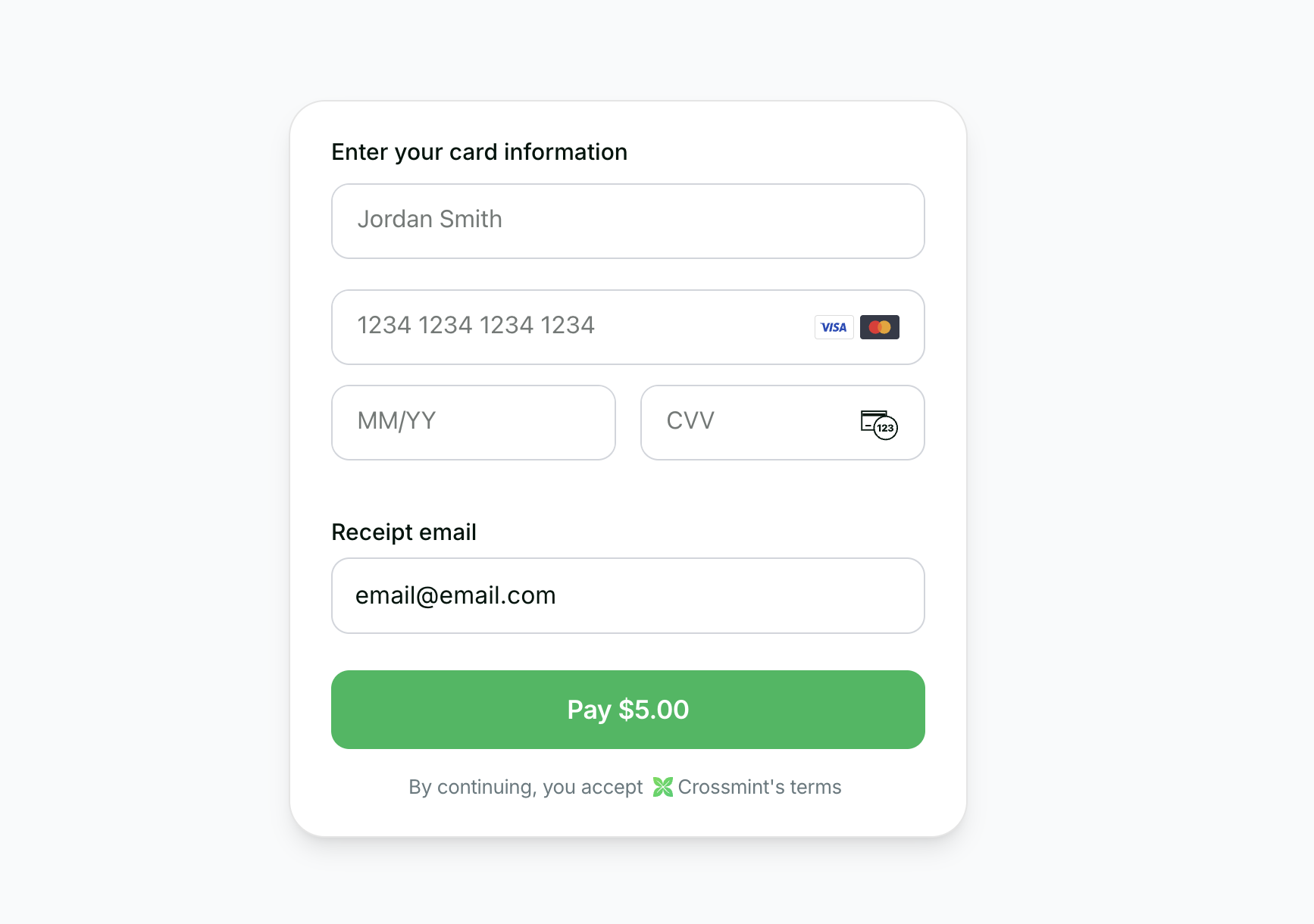
<Frame type="simple" caption="You will build this demo">
  <img src="https://mintcdn.com/crossmint/O4OyJtPpVdTUXAHB/images/payments/embedded-v3/quickstart/onramp.png?fit=max&auto=format&n=O4OyJtPpVdTUXAHB&q=85&s=5aabaa680b80628ae36af70e98ea95e4" alt="Crossmint Onramp Embedded Checkout Demo" width="1734" height="1220" data-path="images/payments/embedded-v3/quickstart/onramp.png" />
</Frame>

<CardGroup cols={2}>
  <Snippet file="before-you-start.mdx" />

  <Card title="Onramp Embedded Quickstart" icon="github" iconType="duotone" href="https://github.com/Crossmint/onramp-embedded-quickstart">
    See a full working example.
  </Card>
</CardGroup>

<Snippet file="enterprise-feature-production.mdx" />

Crossmint's Checkout API lets you build a seamless onramp so users can buy crypto with a credit card.

In this guide, you'll learn how to:

* Create a Crossmint order using a server action
* Use Crossmint's embedded checkout component to handle KYC, payment, and delivery automatically

## 1. Prerequisites

<Steps>
  <Step title="Install the SDK">
    Install the Crossmint client SDK:

    <Snippet file="client-sdk-react-ui-installation-cmd.mdx" />
  </Step>

  <Step title="Create API keys">
    Create a [server-side API key](https://docs.crossmint.com/introduction/platform/api-keys/server-side) with the
    `orders.create` and `orders.read` scopes enabled.

    <br />

    Create a [client-side API key](https://docs.crossmint.com/introduction/platform/api-keys/client-side) for the
    embedded checkout component.
  </Step>

  <Step title="Add environment variables">
    Add environment variables to your `.env.local`:

    ```sh .env.local theme={null}
    NEXT_PUBLIC_CROSSMINT_CLIENT_SIDE_API_KEY="_YOUR_CLIENT_API_KEY_"
    CROSSMINT_SERVER_SIDE_API_KEY="_YOUR_SERVER_API_KEY_"
    ```
  </Step>
</Steps>

<Tabs>
  <Tab title="Onramp to Crossmint Wallets">
    ## 2. Create the Server Action

    Create a server action that will create orders via the Crossmint API:

    ```typescript app/actions/createOrder.ts theme={null}
    "use server";

    const USDC_TOKEN_LOCATORS = {
        solanaDevnet: "solana:4zMMC9srt5Ri5X14GAgXhaHii3GnPAEERYPJgZJDncDU",
        baseSepolia: "base-sepolia:0x036CbD53842c5426634e7929541eC2318f3dCF7e",
        stellarTestnet: "stellar:CBIELTK6YBZJU5UP2WWQEUCYKLPU6AUNZ2BQ4WWFEIE3USCIHMXQDAMA",
    };

    interface CreateOrderParams {
        walletAddress: string;
        receiptEmail: string;
        amount: string;
        chain: "solanaDevnet" | "baseSepolia" | "stellarTestnet";
    }

    export async function createOrder({ walletAddress, receiptEmail, amount, chain }: CreateOrderParams) {
        const serverApiKey = process.env.CROSSMINT_SERVER_SIDE_API_KEY;
        if (serverApiKey == null) {
            throw new Error("CROSSMINT_SERVER_SIDE_API_KEY is not set");
        }

        const response = await fetch("https://staging.crossmint.com/api/2022-06-09/orders", {
            method: "POST",
            headers: {
                "Content-Type": "application/json",
                "x-api-key": serverApiKey,
            },
            body: JSON.stringify({
                lineItems: [
                    {
                        tokenLocator: USDC_TOKEN_LOCATORS[chain],
                        executionParameters: {
                            mode: "exact-in",
                            amount,
                        },
                    },
                ],
                payment: {
                    method: "card",
                    receiptEmail,
                },
                recipient: {
                    walletAddress,
                },
            }),
        });

        if (!response.ok) {
            const error = await response.json();
            throw new Error(error.message || "Failed to create order");
        }

        return response.json();
    }
    ```

    ## 3. Build the Onramp Component

    Create a client component that handles the order creation and displays the embedded checkout:

    ```tsx app/components/OnrampCheckout.tsx theme={null}
    "use client";

    import { useState } from "react";
    import { CrossmintProvider, CrossmintEmbeddedCheckout } from "@crossmint/client-sdk-react-ui";
    import { createOrder } from "../actions/createOrder";

    const CLIENT_API_KEY = process.env.NEXT_PUBLIC_CROSSMINT_CLIENT_SIDE_API_KEY || "";

    // Destination wallets for testing transfers on each network
    const TEST_WALLETS = {
        solanaDevnet: "<destination_wallet_address>",
        baseSepolia: "<destination_wallet_address>",
        stellarTestnet: "<destination_wallet_address>",
    };

    export default function OnrampCheckout() {
        const [order, setOrder] = useState<{ orderId: string; clientSecret: string } | null>(null);
        const [chain, setChain] = useState<"solanaDevnet" | "baseSepolia" | "stellarTestnet">("solanaDevnet");
        const [email, setEmail] = useState("user@example.com");
        const [wallet, setWallet] = useState(TEST_WALLETS.solanaDevnet);
        const [amount, setAmount] = useState("5");
        const [isLoading, setIsLoading] = useState(false);

        function handleChainChange(newChain: "solanaDevnet" | "baseSepolia" | "stellarTestnet") {
            setChain(newChain);
            setWallet(TEST_WALLETS[newChain]);
        }

        async function handleSubmit() {
            setIsLoading(true);
            try {
                const result = await createOrder({ walletAddress: wallet, receiptEmail: email, amount, chain });
                setOrder({ orderId: result.order.orderId, clientSecret: result.clientSecret });
            } catch (error) {
                console.error("Failed to create order:", error);
            } finally {
                setIsLoading(false);
            }
        }

        if (order != null) {
            return (
                <CrossmintProvider apiKey={CLIENT_API_KEY}>
                    <div className="max-w-[450px] w-full mx-auto p-6 rounded-xl bg-white">
                        <CrossmintEmbeddedCheckout
                            orderId={order.orderId}
                            clientSecret={order.clientSecret}
                            payment={{
                                receiptEmail: email,
                                crypto: { enabled: false },
                                fiat: { enabled: true },
                                defaultMethod: "fiat",
                            }}
                        />
                    </div>
                </CrossmintProvider>
            );
        }

        return (
            <div className="max-w-md mx-auto p-8 rounded-xl border border-gray-300 bg-white shadow-sm space-y-6">
                <h2 className="text-2xl font-semibold text-gray-900">Buy USDC</h2>

                <div className="space-y-2">
                    <label className="text-sm font-medium text-gray-900">Network</label>
                    <div className="grid grid-cols-3 gap-2">
                        <button
                            type="button"
                            onClick={() => handleChainChange("solanaDevnet")}
                            className={`p-3 rounded-lg border text-sm font-medium transition-colors ${
                                chain === "solanaDevnet"
                                    ? "bg-green-600 text-white border-green-600"
                                    : "bg-white text-gray-900 border-gray-300 hover:bg-gray-100"
                            }`}
                        >
                            Solana Devnet
                        </button>
                        <button
                            type="button"
                            onClick={() => handleChainChange("baseSepolia")}
                            className={`p-3 rounded-lg border text-sm font-medium transition-colors ${
                                chain === "baseSepolia"
                                    ? "bg-blue-600 text-white border-blue-600"
                                    : "bg-white text-gray-900 border-gray-300 hover:bg-gray-100"
                            }`}
                        >
                            Base Sepolia
                        </button>
                        <button
                            type="button"
                            onClick={() => handleChainChange("stellarTestnet")}
                            className={`p-3 rounded-lg border text-sm font-medium transition-colors ${
                                chain === "stellarTestnet"
                                    ? "bg-purple-600 text-white border-purple-600"
                                    : "bg-white text-gray-900 border-gray-300 hover:bg-gray-100"
                            }`}
                        >
                            Stellar Testnet
                        </button>
                    </div>
                </div>

                <div className="space-y-2">
                    <label className="text-sm font-medium text-gray-900">Email</label>
                    <input
                        type="email"
                        value={email}
                        onChange={(e) => setEmail(e.target.value)}
                        className="w-full px-3 py-2 rounded-lg border border-gray-300 bg-white text-gray-900 text-sm"
                    />
                </div>

                <div className="space-y-2">
                    <label className="text-sm font-medium text-gray-900">Recipient Wallet</label>
                    <input
                        type="text"
                        value={wallet}
                        onChange={(e) => setWallet(e.target.value)}
                        className="w-full px-3 py-2 rounded-lg border border-gray-300 bg-white text-gray-900 text-sm font-mono"
                    />
                </div>

                <div className="space-y-2">
                    <label className="text-sm font-medium text-gray-900">Amount (USD)</label>
                    <input
                        type="number"
                        value={amount}
                        onChange={(e) => setAmount(e.target.value)}
                        className="w-full px-3 py-2 rounded-lg border border-gray-300 bg-white text-gray-900 text-sm"
                    />
                </div>

                <button
                    onClick={handleSubmit}
                    disabled={isLoading || !email || !wallet}
                    className="w-full py-3 rounded-lg bg-black text-white font-medium hover:bg-gray-800 disabled:opacity-50 transition-colors"
                >
                    {isLoading ? "Creating Order..." : "Continue to Checkout"}
                </button>
            </div>
        );
    }
    ```

    ## 4. Add the Component to Your Page

    Import and render the `OnrampCheckout` component in your page:

    ```tsx app/page.tsx theme={null}
    import OnrampCheckout from "./components/OnrampCheckout";

    export default function Home() {
        return (
            <main className="min-h-screen flex items-center justify-center">
                <OnrampCheckout />
            </main>
        );
    }
    ```

    That's it! When users fill in their details and click "Continue to Checkout", the server action creates an order and the embedded checkout component handles KYC, payment, and delivery automatically.
  </Tab>

  <Tab title="Onramp to External Wallets">
    Use this tab if you want to onramp to external wallets — EOAs or smart wallets not created by Crossmint.

    External wallet onramp requires two additional steps compared to Crossmint wallets: linking the wallet to a Crossmint user, and handling ownership verification when transaction thresholds are exceeded.

    ## 2. Link External Wallet

    Before creating an onramp order to an external wallet, you must link the wallet to a Crossmint user using the Link External Wallet API.

    Create a server action to handle the wallet linking:

    ```typescript app/actions/linkWallet.ts theme={null}
    "use server";

    interface LinkWalletParams {
        userEmail: string;
        walletAddress: string;
        chain: string;
        proof?: string;
    }

    export async function linkWallet({ userEmail, walletAddress, chain, proof }: LinkWalletParams) {
        const serverApiKey = process.env.CROSSMINT_SERVER_SIDE_API_KEY;
        if (serverApiKey == null) {
            throw new Error("CROSSMINT_SERVER_SIDE_API_KEY is not set");
        }

        const userLocator = `email:${userEmail}`;

        const body: Record<string, string> = { chain };
        if (proof) {
            body.proof = proof;
        }

        const response = await fetch(
            `https://staging.crossmint.com/api/2025-06-09/users/${userLocator}/linked-wallets/${walletAddress}`,
            {
                method: "PUT",
                headers: {
                    "Content-Type": "application/json",
                    "x-api-key": serverApiKey,
                },
                body: JSON.stringify(body),
            }
        );

        if (!response.ok) {
            const error = await response.json();
            throw new Error(error.message || "Failed to link wallet");
        }

        return response.json();
    }
    ```

    The `proof` field is optional:

    * If you omit it, the wallet is linked without proving ownership yet. The API responds with a `verificationChallenge` (following the <a href="https://chainagnostic.org/CAIPs/caip-122" target="_blank">CAIP-122</a> standard) that you can use later to verify ownership.
    * If you pass it, you prove ownership of the wallet in the same request.

    ## 3. Create the Server Action

    Create a server action that will create orders via the Crossmint API:

    ```typescript app/actions/createOrder.ts theme={null}
    "use server";

    const USDC_TOKEN_LOCATORS = {
        solanaDevnet: "solana:4zMMC9srt5Ri5X14GAgXhaHii3GnPAEERYPJgZJDncDU",
        baseSepolia: "base-sepolia:0x036CbD53842c5426634e7929541eC2318f3dCF7e",
        stellarTestnet: "stellar:CBIELTK6YBZJU5UP2WWQEUCYKLPU6AUNZ2BQ4WWFEIE3USCIHMXQDAMA",
    };

    interface CreateOrderParams {
        walletAddress: string;
        receiptEmail: string;
        amount: string;
        chain: "solanaDevnet" | "baseSepolia" | "stellarTestnet";
    }

    export async function createOrder({ walletAddress, receiptEmail, amount, chain }: CreateOrderParams) {
        const serverApiKey = process.env.CROSSMINT_SERVER_SIDE_API_KEY;
        if (serverApiKey == null) {
            throw new Error("CROSSMINT_SERVER_SIDE_API_KEY is not set");
        }

        const response = await fetch("https://staging.crossmint.com/api/2022-06-09/orders", {
            method: "POST",
            headers: {
                "Content-Type": "application/json",
                "x-api-key": serverApiKey,
            },
            body: JSON.stringify({
                lineItems: [
                    {
                        tokenLocator: USDC_TOKEN_LOCATORS[chain],
                        executionParameters: {
                            mode: "exact-in",
                            amount,
                        },
                    },
                ],
                payment: {
                    method: "card",
                    receiptEmail,
                },
                recipient: {
                    walletAddress,
                },
            }),
        });

        if (!response.ok) {
            const error = await response.json();
            throw new Error(error.message || "Failed to create order");
        }

        return response.json();
    }
    ```

    ### Ownership Verification

    Depending on the transaction value and the user's past activity, the order may or may not require wallet ownership verification:

    * **Below threshold**: If the transaction value is below 1,000 euros **and** the user's past 30-day onramp transaction volume is below 1,000 euros, ownership verification is not required. The order proceeds directly to the KYC/payment phase.
    * **Above threshold**: If either threshold is surpassed, the order status will be `requires-recipient-verification` and the user must sign a message to prove wallet ownership.

    When ownership verification is required, the order response includes a `preparation.message` field that the user must sign:

    ```json theme={null}
    {
        "payment": {
            "status": "requires-recipient-verification",
            "preparation": {
                "message": "crossmint.com wants you to sign in with your blockchain account:\n0x1234...5678\n\n..."
            }
        }
    }
    ```

    ## 4. Handle Wallet Verification

    If the order requires ownership verification, the user must sign the `preparation.message` returned in the order response using their wallet's private key.

    <CodeGroup>
      ```js EVM (ethers.js) theme={null}
      import { Wallet } from "ethers";

      const wallet = new Wallet("YOUR_PRIVATE_KEY");
      const message = order.payment.preparation.message;
      const signature = await wallet.signMessage(message);
      ```

      ```js Solana (tweetnacl) theme={null}
      import nacl from "tweetnacl";
      import { decodeUTF8 } from "tweetnacl-util";
      import { encode as base64Encode } from "@stablelib/base64";

      const message = order.payment.preparation.message;
      const messageBytes = decodeUTF8(message);
      const signatureBytes = nacl.sign.detached(messageBytes, keypair.secretKey);
      const signature = base64Encode(signatureBytes);
      ```
    </CodeGroup>

    Once signed, submit the signature using the same Link External Wallet API by calling the `linkWallet` server action with the `proof` parameter set to the signature. Once ownership is verified, the order proceeds to the next phase (`requires-kyc` or `awaiting-payment`).

    ## 5. Build the Onramp Component

    Create a client component that handles wallet linking, order creation, and displays the embedded checkout:

    ```tsx app/components/OnrampCheckout.tsx theme={null}
    "use client";

    import { useState } from "react";
    import { CrossmintProvider, CrossmintEmbeddedCheckout } from "@crossmint/client-sdk-react-ui";
    import { createOrder } from "../actions/createOrder";
    import { linkWallet } from "../actions/linkWallet";

    const CLIENT_API_KEY = process.env.NEXT_PUBLIC_CROSSMINT_CLIENT_SIDE_API_KEY || "";

    // Destination wallets for testing transfers on each network
    const TEST_WALLETS = {
        solanaDevnet: "YOUR_DESTINATION_WALLET_ADDRESS",
        baseSepolia: "YOUR_DESTINATION_WALLET_ADDRESS",
        stellarTestnet: "YOUR_DESTINATION_WALLET_ADDRESS",

    const CHAIN_MAP = {
        solanaDevnet: "solana",
        baseSepolia: "base-sepolia",
        stellarTestnet: "stellar",
    };

    export default function OnrampCheckout() {
        const [order, setOrder] = useState<{ orderId: string; clientSecret: string } | null>(null);
        const [chain, setChain] = useState<"solanaDevnet" | "baseSepolia" | "stellarTestnet">("solanaDevnet");
        const [email, setEmail] = useState("user@example.com");
        const [wallet, setWallet] = useState(TEST_WALLETS.solanaDevnet);
        const [amount, setAmount] = useState("5");
        const [isLoading, setIsLoading] = useState(false);

        function handleChainChange(newChain: "solanaDevnet" | "baseSepolia" | "stellarTestnet") {
            setChain(newChain);
            setWallet(TEST_WALLETS[newChain]);
        }

        async function handleSubmit() {
            setIsLoading(true);
            try {
                // Step 1: Link the external wallet to the Crossmint user
                await linkWallet({
                    userEmail: email,
                    walletAddress: wallet,
                    chain: CHAIN_MAP[chain],
                });

                // Step 2: Create the onramp order
                const result = await createOrder({ walletAddress: wallet, receiptEmail: email, amount, chain });
                setOrder({ orderId: result.order.orderId, clientSecret: result.clientSecret });
            } catch (error) {
                console.error("Failed to create order:", error);
            } finally {
                setIsLoading(false);
            }
        }

        if (order != null) {
            return (
                <CrossmintProvider apiKey={CLIENT_API_KEY}>
                    <div className="max-w-[450px] w-full mx-auto p-6 rounded-xl bg-white">
                        <CrossmintEmbeddedCheckout
                            orderId={order.orderId}
                            clientSecret={order.clientSecret}
                            payment={{
                                receiptEmail: email,
                                crypto: { enabled: false },
                                fiat: { enabled: true },
                                defaultMethod: "fiat",
                            }}
                        />
                    </div>
                </CrossmintProvider>
            );
        }

        return (
            <div className="max-w-md mx-auto p-8 rounded-xl border border-gray-300 bg-white shadow-sm space-y-6">
                <h2 className="text-2xl font-semibold text-gray-900">Buy USDC</h2>

                <div className="space-y-2">
                    <label className="text-sm font-medium text-gray-900">Network</label>
                    <div className="grid grid-cols-3 gap-2">
                        <button
                            type="button"
                            onClick={() => handleChainChange("solanaDevnet")}
                            className={`p-3 rounded-lg border text-sm font-medium transition-colors ${
                                chain === "solanaDevnet"
                                    ? "bg-green-600 text-white border-green-600"
                                    : "bg-white text-gray-900 border-gray-300 hover:bg-gray-100"
                            }`}
                        >
                            Solana Devnet
                        </button>
                        <button
                            type="button"
                            onClick={() => handleChainChange("baseSepolia")}
                            className={`p-3 rounded-lg border text-sm font-medium transition-colors ${
                                chain === "baseSepolia"
                                    ? "bg-blue-600 text-white border-blue-600"
                                    : "bg-white text-gray-900 border-gray-300 hover:bg-gray-100"
                            }`}
                        >
                            Base Sepolia
                        </button>
                        <button
                            type="button"
                            onClick={() => handleChainChange("stellarTestnet")}
                            className={`p-3 rounded-lg border text-sm font-medium transition-colors ${
                                chain === "stellarTestnet"
                                    ? "bg-purple-600 text-white border-purple-600"
                                    : "bg-white text-gray-900 border-gray-300 hover:bg-gray-100"
                            }`}
                        >
                            Stellar Testnet
                        </button>
                    </div>
                </div>

                <div className="space-y-2">
                    <label className="text-sm font-medium text-gray-900">Email</label>
                    <input
                        type="email"
                        value={email}
                        onChange={(e) => setEmail(e.target.value)}
                        className="w-full px-3 py-2 rounded-lg border border-gray-300 bg-white text-gray-900 text-sm"
                    />
                </div>

                <div className="space-y-2">
                    <label className="text-sm font-medium text-gray-900">Recipient Wallet</label>
                    <input
                        type="text"
                        value={wallet}
                        onChange={(e) => setWallet(e.target.value)}
                        className="w-full px-3 py-2 rounded-lg border border-gray-300 bg-white text-gray-900 text-sm font-mono"
                    />
                </div>

                <div className="space-y-2">
                    <label className="text-sm font-medium text-gray-900">Amount (USD)</label>
                    <input
                        type="number"
                        value={amount}
                        onChange={(e) => setAmount(e.target.value)}
                        className="w-full px-3 py-2 rounded-lg border border-gray-300 bg-white text-gray-900 text-sm"
                    />
                </div>

                <button
                    onClick={handleSubmit}
                    disabled={isLoading || !email || !wallet}
                    className="w-full py-3 rounded-lg bg-black text-white font-medium hover:bg-gray-800 disabled:opacity-50 transition-colors"
                >
                    {isLoading ? "Creating Order..." : "Continue to Checkout"}
                </button>
            </div>
        );
    }
    ```

    ## 6. Add the Component to Your Page

    Import and render the `OnrampCheckout` component in your page:

    ```tsx app/page.tsx theme={null}
    import OnrampCheckout from "./components/OnrampCheckout";

    export default function Home() {
        return (
            <main className="min-h-screen flex items-center justify-center">
                <OnrampCheckout />
            </main>
        );
    }
    ```

    That is it! When users fill in their details and click "Continue to Checkout", the app links the external wallet, creates an order, and the embedded checkout component handles KYC, payment, and delivery automatically.
  </Tab>
</Tabs>

<Tip>
  **Testing:** Use the test credit card number `4242 4242 4242 4242` with any future expiration date and any 3-digit CVC.
</Tip>

## Transaction Completion

<Snippet file="onramp-transaction-completion.mdx" />

## Next Steps

<Snippet file="onramp-next-steps.mdx" />