> ## Documentation Index
> Fetch the complete documentation index at: https://docs.crossmint.com/llms.txt
> Use this file to discover all available pages before exploring further.
# Quickstart ⚡
> Accept payments in under 5 min by just adding a button to your frontend
 ## Introduction
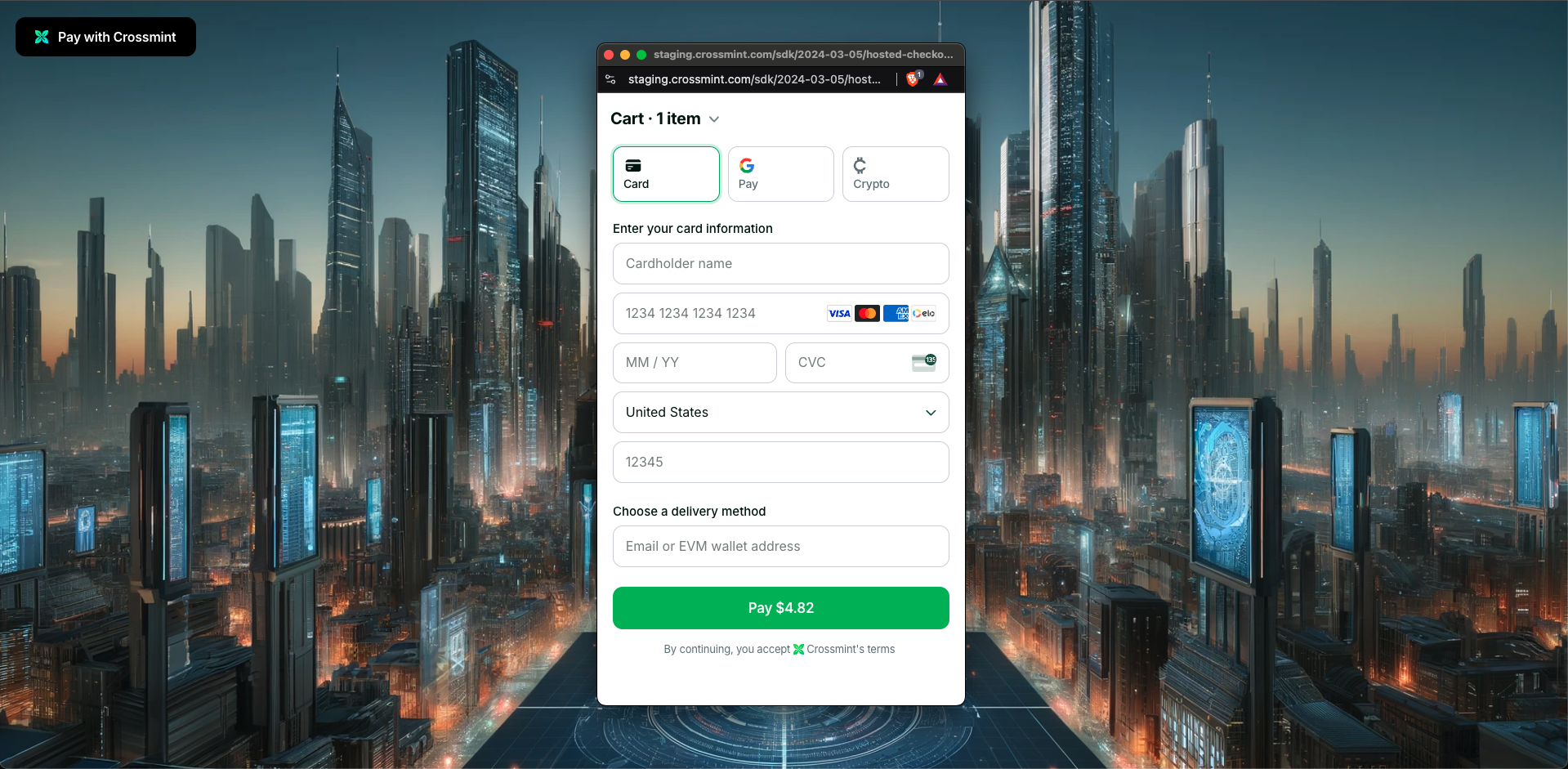
In this guide, you will create a web app with Next.js which allows customers to buy digital assets with credit card and
crypto payments using Crossmint's hosted checkout. We will add a button that opens a checkout hosted in a pop-up or new
tab.
### Basic Integration
This quickstart guide focuses on NFT Collections/Drops (primary sales), but Crossmint also supports marketplace integrations.
Create `.env.local` in your project root:
```sh theme={null}
NEXT_PUBLIC_CLIENT_API_KEY="_YOUR_CLIENT_API_KEY_" # From API Keys page
NEXT_PUBLIC_COLLECTION_ID="_YOUR_COLLECTION_ID_" # From Collection details page
```
Create `/src/app/page.tsx` with:
```tsx theme={null}
"use client";
import { CrossmintProvider, CrossmintHostedCheckout } from "@crossmint/client-sdk-react-ui";
export default function Home() {
const clientApiKey = process.env.NEXT_PUBLIC_CLIENT_API_KEY as string;
const collectionId = process.env.NEXT_PUBLIC_COLLECTION_ID as string;
return (
);
}
```
Navigate to the directory your package.json is to run the app
```bash theme={null}
cd hosted-checkout/crossmint-hosted-checkout-demo
```
### (Optional) Advanced Integration
Need purchase tracking, multiple line items, or more customization? Here's a complete setup with additional features:
```tsx theme={null}
"use client";
import { useEffect } from "react";
import {
CrossmintProvider,
CrossmintCheckoutProvider,
CrossmintHostedCheckout,
useCrossmintCheckout,
} from "@crossmint/client-sdk-react-ui";
// Component with purchase tracking
function Checkout() {
const { order } = useCrossmintCheckout();
const collectionId = process.env.NEXT_PUBLIC_COLLECTION_ID as string;
useEffect(() => {
if (order && order.phase === "completed") {
console.log("Purchase completed!");
// Handle successful purchase
}
}, [order]);
return (
);
}
// Main component with providers
export default function Home() {
const clientApiKey = process.env.NEXT_PUBLIC_CLIENT_API_KEY as string;
return (
## Introduction
In this guide, you will create a web app with Next.js which allows customers to buy digital assets with credit card and
crypto payments using Crossmint's hosted checkout. We will add a button that opens a checkout hosted in a pop-up or new
tab.
### Basic Integration
This quickstart guide focuses on NFT Collections/Drops (primary sales), but Crossmint also supports marketplace integrations.
Create `.env.local` in your project root:
```sh theme={null}
NEXT_PUBLIC_CLIENT_API_KEY="_YOUR_CLIENT_API_KEY_" # From API Keys page
NEXT_PUBLIC_COLLECTION_ID="_YOUR_COLLECTION_ID_" # From Collection details page
```
Create `/src/app/page.tsx` with:
```tsx theme={null}
"use client";
import { CrossmintProvider, CrossmintHostedCheckout } from "@crossmint/client-sdk-react-ui";
export default function Home() {
const clientApiKey = process.env.NEXT_PUBLIC_CLIENT_API_KEY as string;
const collectionId = process.env.NEXT_PUBLIC_COLLECTION_ID as string;
return (
);
}
```
Navigate to the directory your package.json is to run the app
```bash theme={null}
cd hosted-checkout/crossmint-hosted-checkout-demo
```
### (Optional) Advanced Integration
Need purchase tracking, multiple line items, or more customization? Here's a complete setup with additional features:
```tsx theme={null}
"use client";
import { useEffect } from "react";
import {
CrossmintProvider,
CrossmintCheckoutProvider,
CrossmintHostedCheckout,
useCrossmintCheckout,
} from "@crossmint/client-sdk-react-ui";
// Component with purchase tracking
function Checkout() {
const { order } = useCrossmintCheckout();
const collectionId = process.env.NEXT_PUBLIC_COLLECTION_ID as string;
useEffect(() => {
if (order && order.phase === "completed") {
console.log("Purchase completed!");
// Handle successful purchase
}
}, [order]);
return (
);
}
// Main component with providers
export default function Home() {
const clientApiKey = process.env.NEXT_PUBLIC_CLIENT_API_KEY as string;
return (
);
}
```
```tsx theme={null}
"use client";
import { useEffect } from "react";
import {
CrossmintProvider,
CrossmintCheckoutProvider,
CrossmintHostedCheckout,
useCrossmintCheckout,
} from "@crossmint/client-sdk-react-ui";
// Component with purchase tracking
function Checkout() {
const { order } = useCrossmintCheckout();
useEffect(() => {
if (order && order.phase === "completed") {
console.log("Purchase completed!");
// Handle successful purchase
}
}, [order]);
return (
);
}
// Main component with providers
export default function Home() {
const clientApiKey = process.env.NEXT_PUBLIC_CLIENT_API_KEY as string;
return (
);
}
```
This advanced example showcases: - Multiple NFTs in one checkout - Purchase status tracking - Preferred payment
methods and currencies - Email-based digital asset delivery - Language settings Learn more in our guides: - [Payment
Methods](/payments/pay-button/guides/payment-methods) - [Multi-purchases](/payments/pay-button/guides/item-selection#multiple-item-orders)
* [React Hooks](/payments/pay-button/guides/hooks)
### Testing Your Integration
This demo uses the staging environment:
* Use [test credit cards](/payments/advanced/testing-tips#test-credit-card-numbers) for payments
* Get test USDC from our [faucet](/payments/advanced/testing-tips#getting-test-tokens)
* Check [price limits](/payments/advanced/testing-tips#limits-in-staging) for staging
## All Set!
You've successfully integrated a hosted checkout with credit card and crypto payment methods!
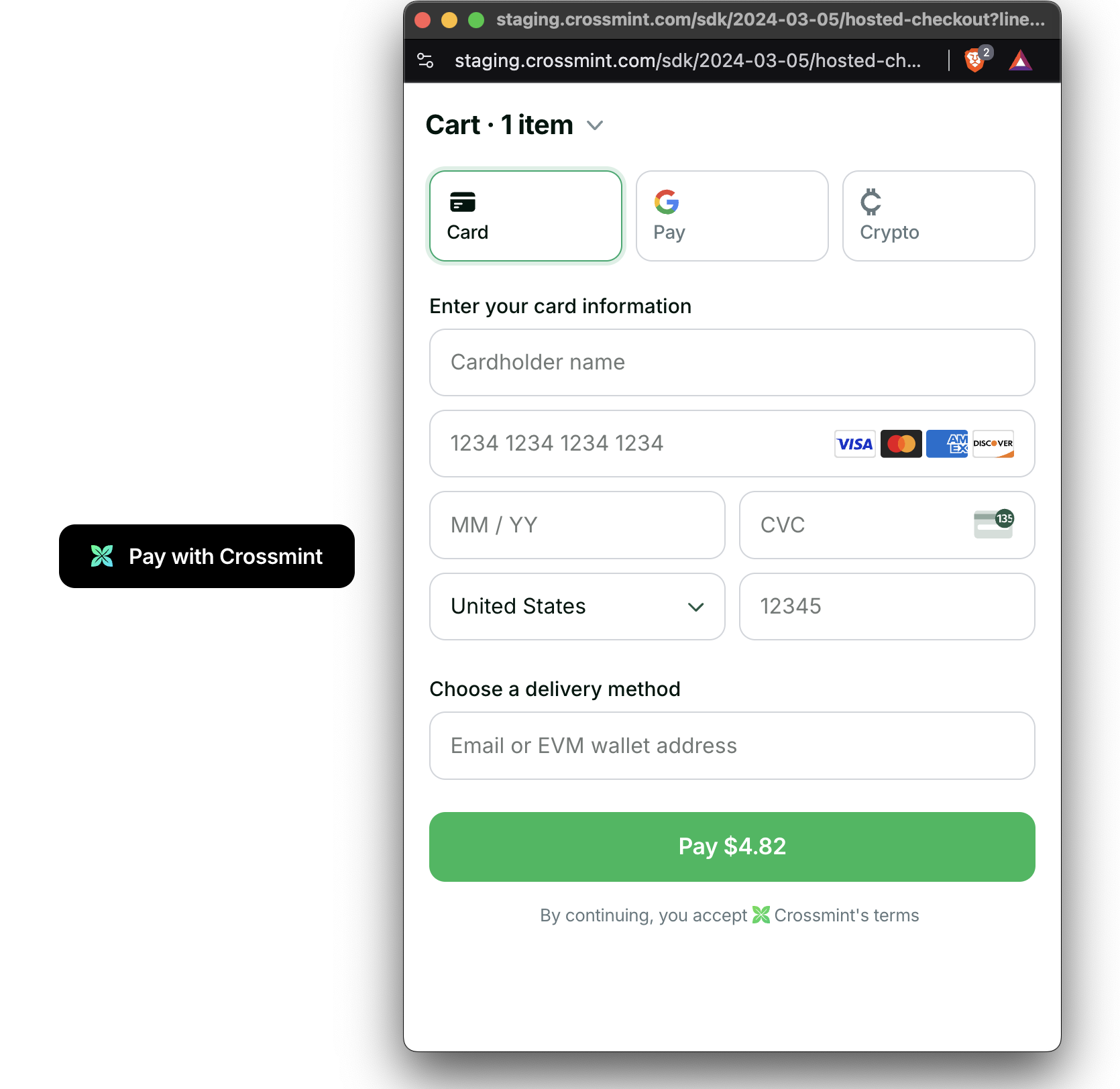 Remember this demo is built on staging, so the digital assets will show up on the testnets. To launch on production,
check the [production launch checklist](/payments/advanced/production-launch). You will need to contact
[Sales](https://www.crossmint.com/contact/sales) to enable the embedded checkout on production.
## Next Steps
### Customize the UI and Behavior Further
Learn how to customize the look and feel of the checkout button
Configure available payment options for your users
Use React hooks to build custom checkout experiences
### Advanced Topics
Remember this demo is built on staging, so the digital assets will show up on the testnets. To launch on production,
check the [production launch checklist](/payments/advanced/production-launch). You will need to contact
[Sales](https://www.crossmint.com/contact/sales) to enable the embedded checkout on production.
## Next Steps
### Customize the UI and Behavior Further
Learn how to customize the look and feel of the checkout button
Configure available payment options for your users
Use React hooks to build custom checkout experiences
### Advanced Topics