

The API Flow
The diagram below illustrates how Virtual Accounts work, using a first-party EUR deposit in the EU as an example.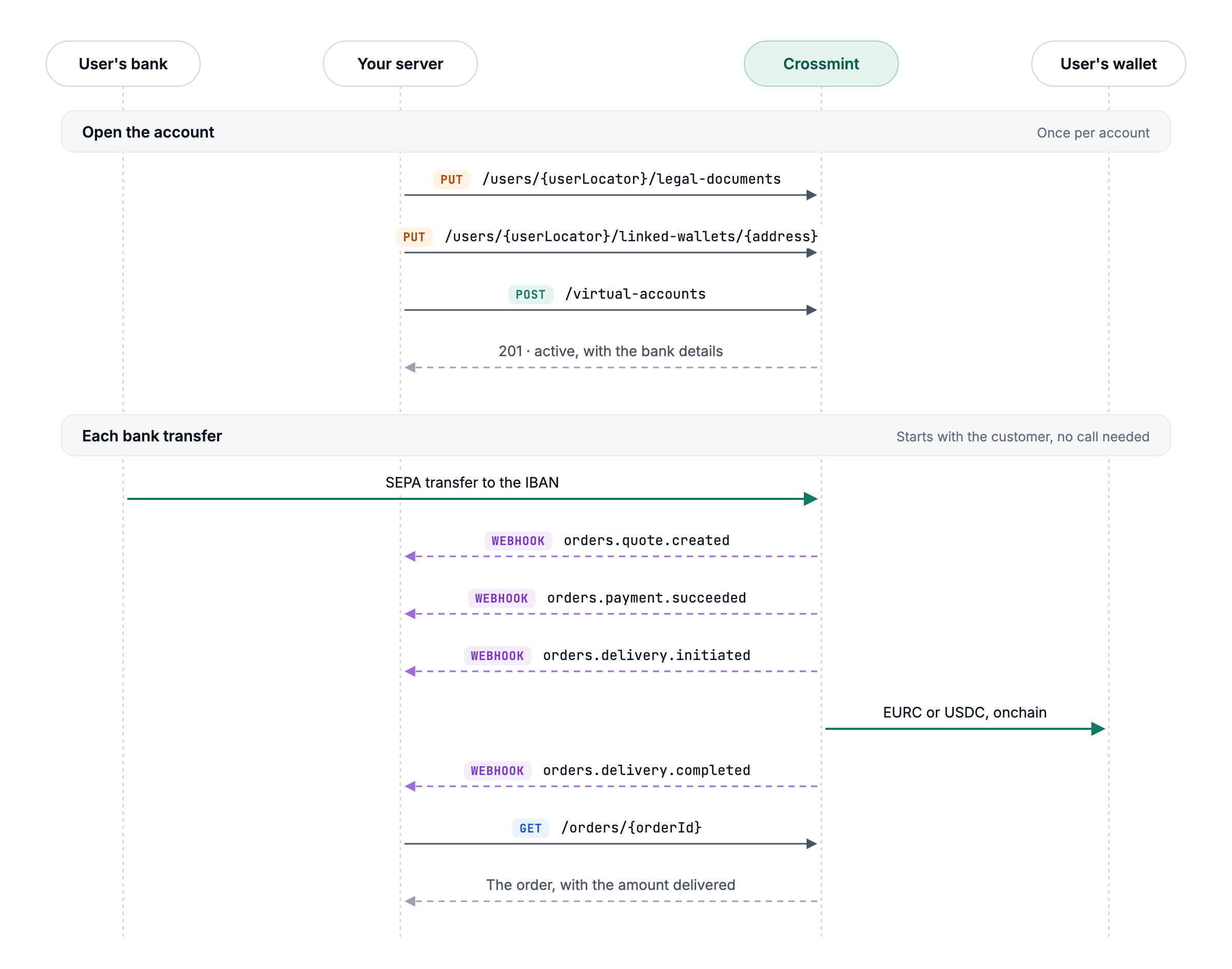
1. Create a Virtual Account
A virtual account only needs to be created once.- Record terms acceptance: The user accepts Crossmint’s terms of service and privacy policy, and your server records their acceptance.
- Link a wallet: Specify the destination wallet and provide proof of ownership when required. Crossmint wallets belonging to the user don’t require additional linking.
- Create the account: Provide the user’s details, currency, destination wallet, and stablecoin. Crossmint returns the bank account details to display to your user.
2. Process Payments
Once the account is active, users can send funds to its bank details. Each incoming transfer creates a separate order. For the illustrated EUR deposit flow:- Payment received: Crossmint detects the incoming transfer, creates an order, and sends
orders.quote.created. - Payment verified: Crossmint performs the required checks and sends
orders.payment.succeededwhen the payment is approved. - Conversion initiated: Funds are converted into the designated stablecoin, the exchange rate is fixed, and Crossmint sends
orders.delivery.initiated. - Settlement completed: Stablecoins are delivered to the destination wallet. Once confirmed onchain, Crossmint sends
orders.delivery.completed. - Retrieve transaction details: Use the Get Order API to retrieve the final amount delivered.
Account Statuses
Virtual Accounts have five possible statuses: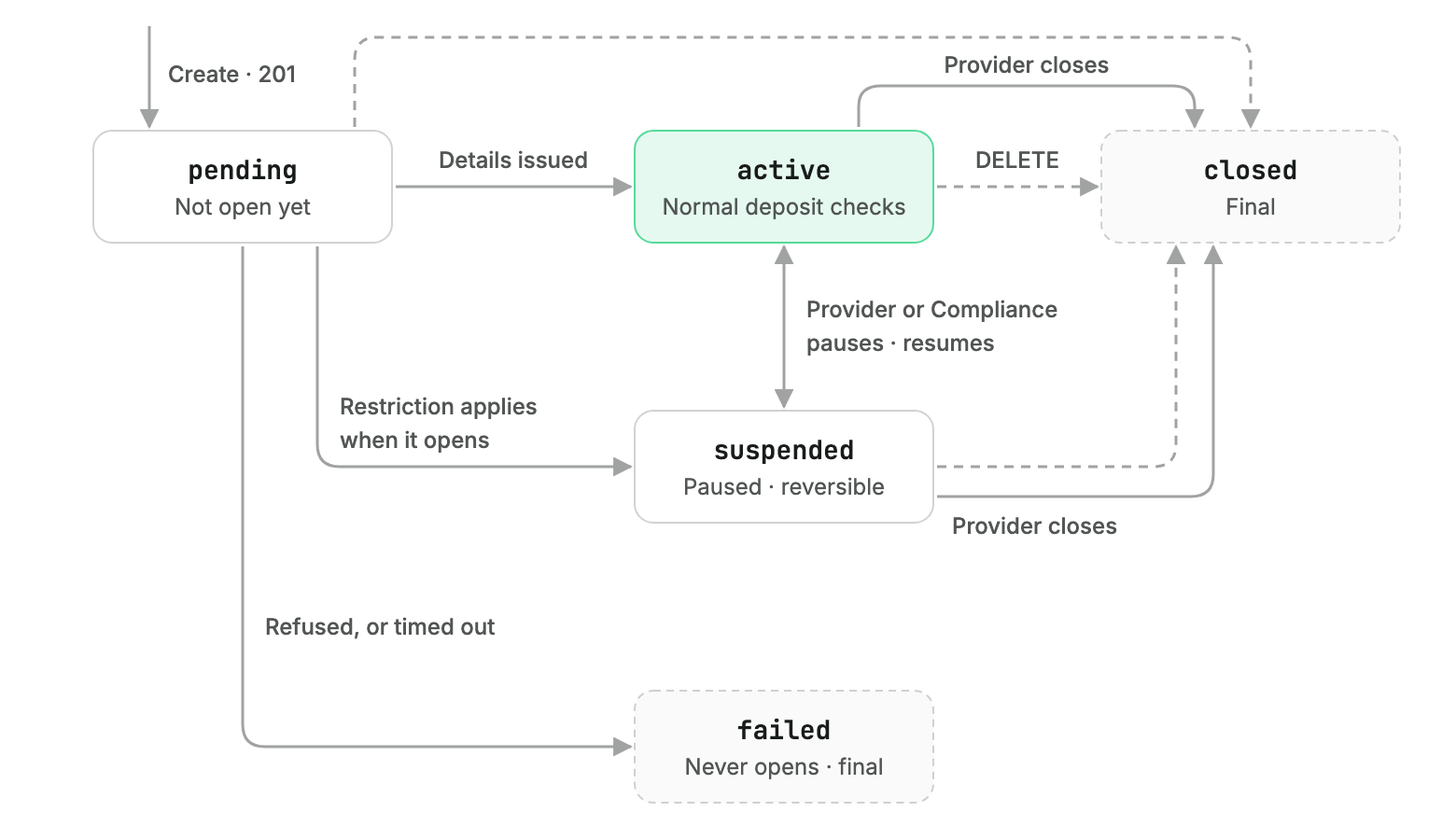
active immediately upon creation or transition from pending once bank details are issued.
An account may also become suspended due to restrictions and return to active once those restrictions are resolved.
Accounts in pending, active, or suspended status can be closed through the API. The banking partner may also close accounts.
Every status change triggers a virtual_accounts.status.updated webhook.
See Manage Virtual Accounts for additional details.
Payment Reviews and Failures
Each incoming transfer creates an order, including payments that are rejected or returned.- Under review:
orders.payment.in_reviewis emitted when a payment requires additional checks. The payment subsequently proceeds or is returned. - Rejected:
orders.payment.failedis emitted when a payment fails verification. The funds are returned to the sender in full. - Completed: Once approved, the payment proceeds through conversion and settlement.
See Also
REST API Quickstart
Create a virtual account and test a deposit
Track Deposits
Monitor payments and settlement through webhooks