

This Console fee-payer setting applies only to Solana smart wallets.
- Sponsoring the transaction fees on your behalf
- Maintaining a treasury to cover the gas costs
- Securely verifying and rate-limiting each transaction to prevent abuse
- Protecting against common attack vectors when sponsoring gas on chains like Solana
- Calculating optimal fees to ensure transactions land without overpaying
Prerequisites
- A Crossmint project with wallets enabled
- Access to the Crossmint Console
Change the Fee Payer
You can change the fee payer for Solana smart wallets in the Console.1
Navigate to Wallets Settings
Open the Crossmint Console and go to Wallets → Settings.
2
Choose the Fee Payer
Select who pays transaction fees: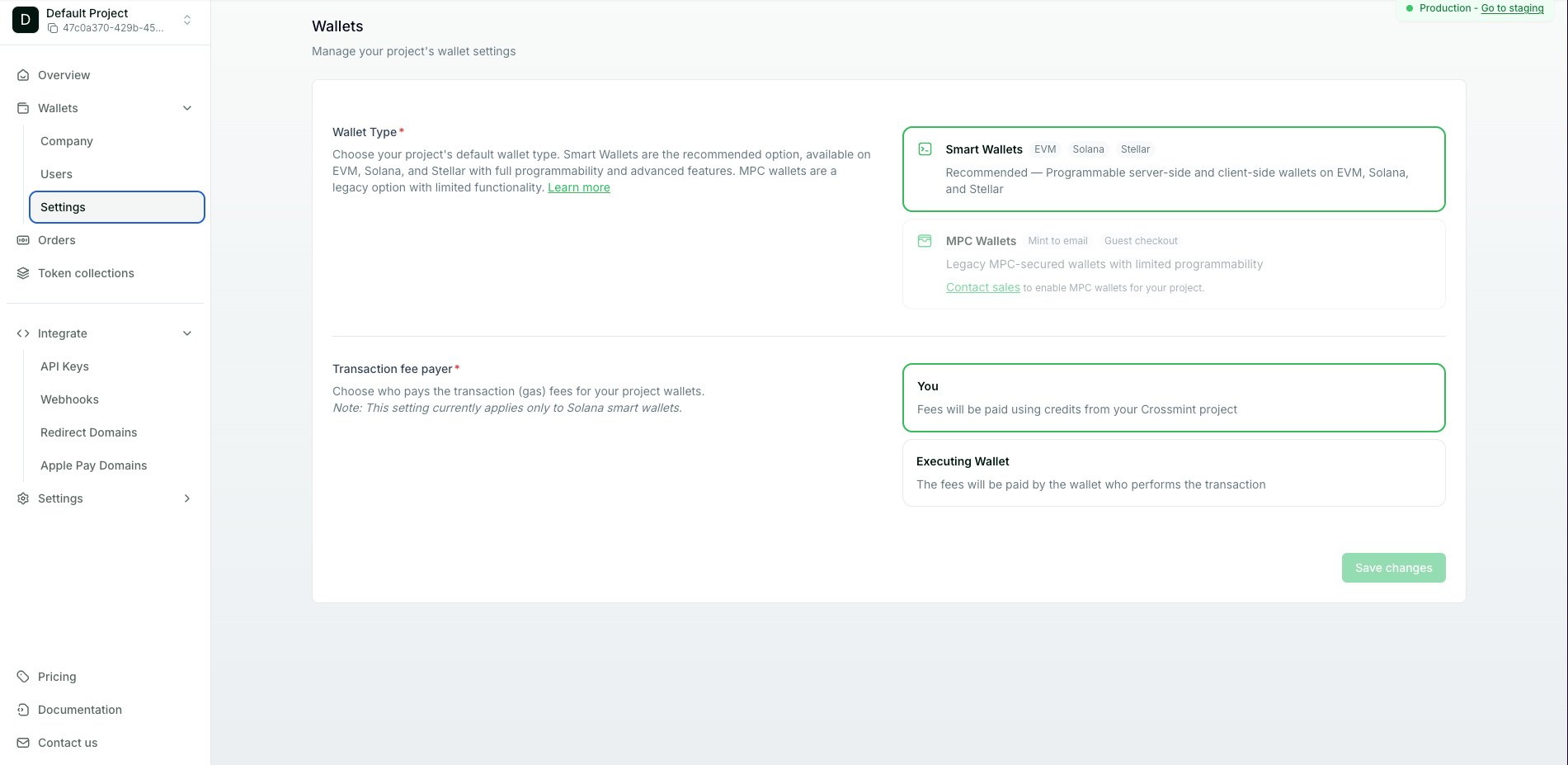
- You — project-sponsored fees. Crossmint covers the gas with your project’s credits and bills your project, so your users never have gas friction.
Enterprise feature. Contact us for access.
- Executing Wallet — the wallet that performs the transaction pays the gas
When the Executing Wallet is selected as the fee payer for Solana, you can choose whether it pays gas in SOL or USDC.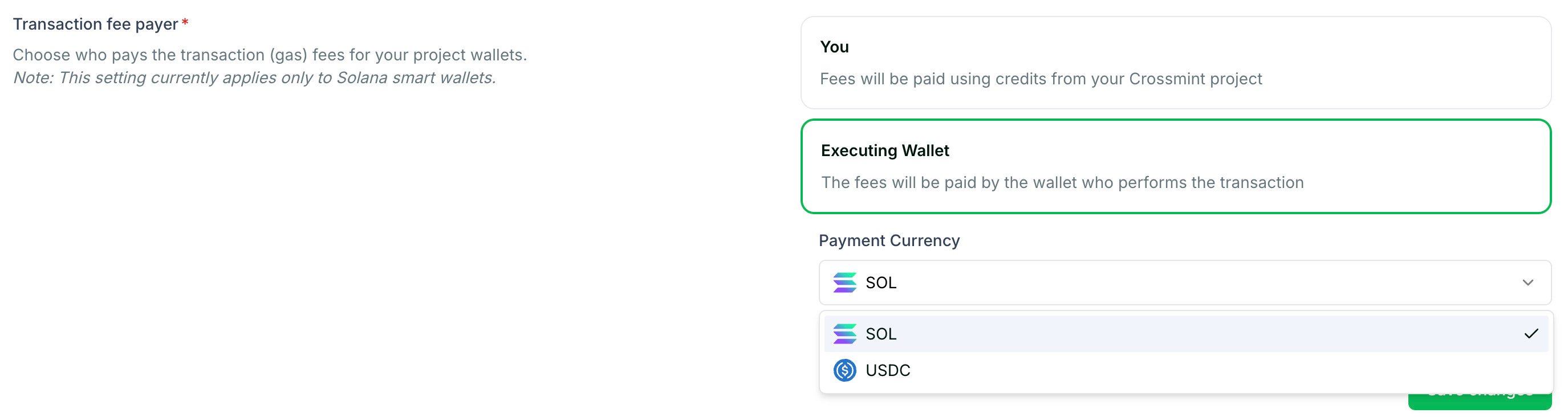
Set Spending Limits
Configuring per-user spending limits for gas sponsorship is available under private access. Contact Crossmint to enable this feature for your project.
Monitor Sponsored Transactions
You can track gas sponsorship usage and costs through the Crossmint Console and webhooks.View usage in the Console
The Crossmint Console provides an overview of your gas sponsorship usage, including total gas sponsored, number of transactions, and costs over time. Navigate to Wallets → Settings to view your current usage statistics.Track transactions with webhooks
For real-time monitoring, set up webhooks to receive notifications when transactions are sponsored. Thewallets.transfer.out event includes information about the transaction and its gas costs.
Best Practices
- Review the default fee payer before launch: For Solana smart wallets, new production projects start with user-paid fees. Make sure the selected mode matches your user experience and budget.
- Monitor usage regularly: Keep track of your gas sponsorship costs to ensure they align with your budget
- Set appropriate limits: Once spending limits are enabled for your project, configure them based on your expected user behavior to prevent abuse
- Use webhooks for real-time tracking: Set up webhooks to monitor sponsored transactions and detect any unusual patterns
Learn More
Transfer Webhooks Setup
Set up real-time notifications for wallet transfers
Transfer Tokens
Learn how to send tokens between wallets
Check Balances
Query token balances across your wallets
Webhooks Overview
Learn about Crossmint webhooks