

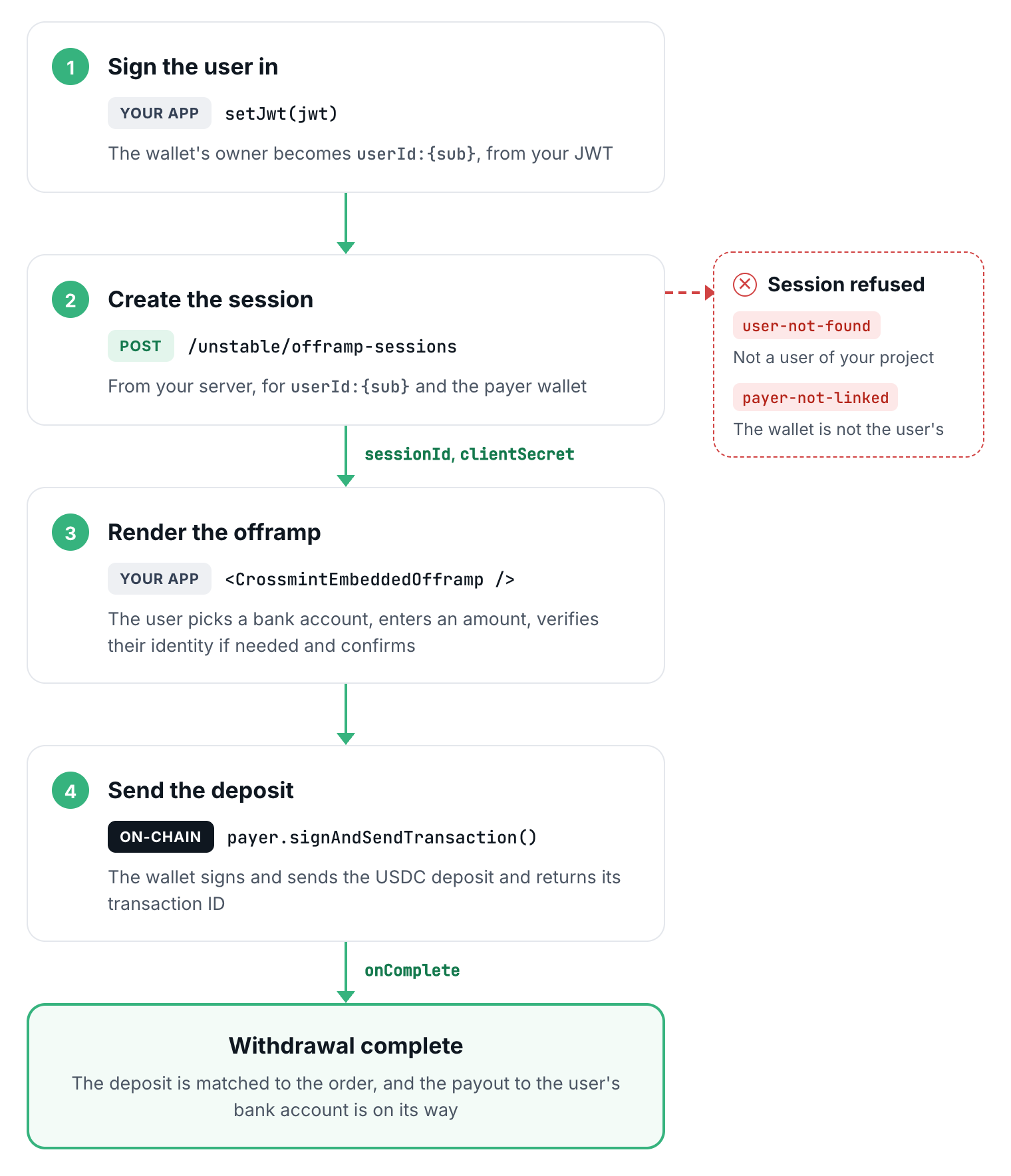
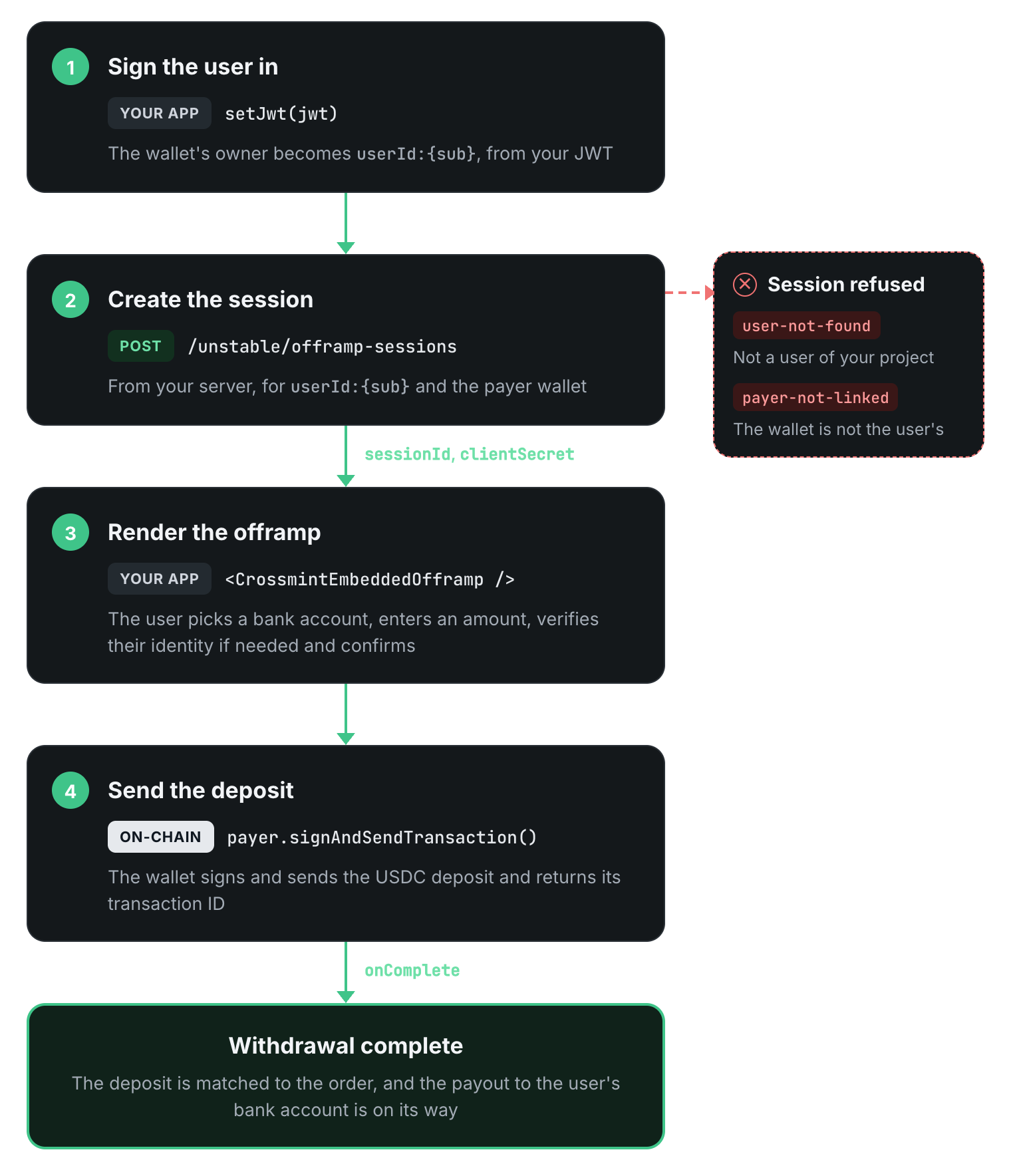
CrossmintEmbeddedOfframp component and run a withdrawal in the Staging environment. You will:
- Create an offramp session on your server for the user and the wallet they withdraw from
- Render
CrossmintEmbeddedOfframpwith the session and a payer that signs with the user’s wallet - Handle the component’s events
- Test a withdrawal on staging
Prerequisites
- Backend: one server endpoint that creates the session, such as the Express route in this guide.
- Android: Android 7.0 (API level 24) or later, Jetpack Compose, and an Android System WebView that supports
WEB_MESSAGE_LISTENER. Host the component in an activity that provides anActivityResultRegistryOwner, such as aComponentActivity.
- API keys: a server-side API key with the
orders.createandpayment-methods.createscopes, and a client-side API key for the component, both from the staging console. In staging, all scopes are included by default. - Project setup: KYC configured for your project and, for production, Offramp and bank account payment methods enabled on it. Crossmint sets these up per project; contact Crossmint to enable them. You can test the embedded offramp on staging before they are enabled for production.
- Wallet: an EVM or Solana wallet that your app can sign and broadcast transactions with, owned by or linked to
userId:<USER_ID>. To use a wallet that Crossmint did not create, link it to the user with Link External Wallet to User before you create the session. The session takes onlyuserId:locators, so email and phone locators do not work. This guide usesbase-sepolia. - USDC: testnet USDC in the wallet, from the Circle faucet.
- Permissions: declare
android.permission.INTERNETandandroid.permission.CAMERAinAndroidManifest.xml. Identity verification captures documents with the camera. The component asks for the runtime camera permission when the page first needs it. Without the manifest entry, Android denies the camera and only document upload works.
build.gradle.kts. It is published on Maven Central:
build.gradle.kts
Create the session on your server
A session lets one user make one withdrawal from one wallet. Your backend makes one call, Create Offramp Session, and the component runs every other step with Crossmint: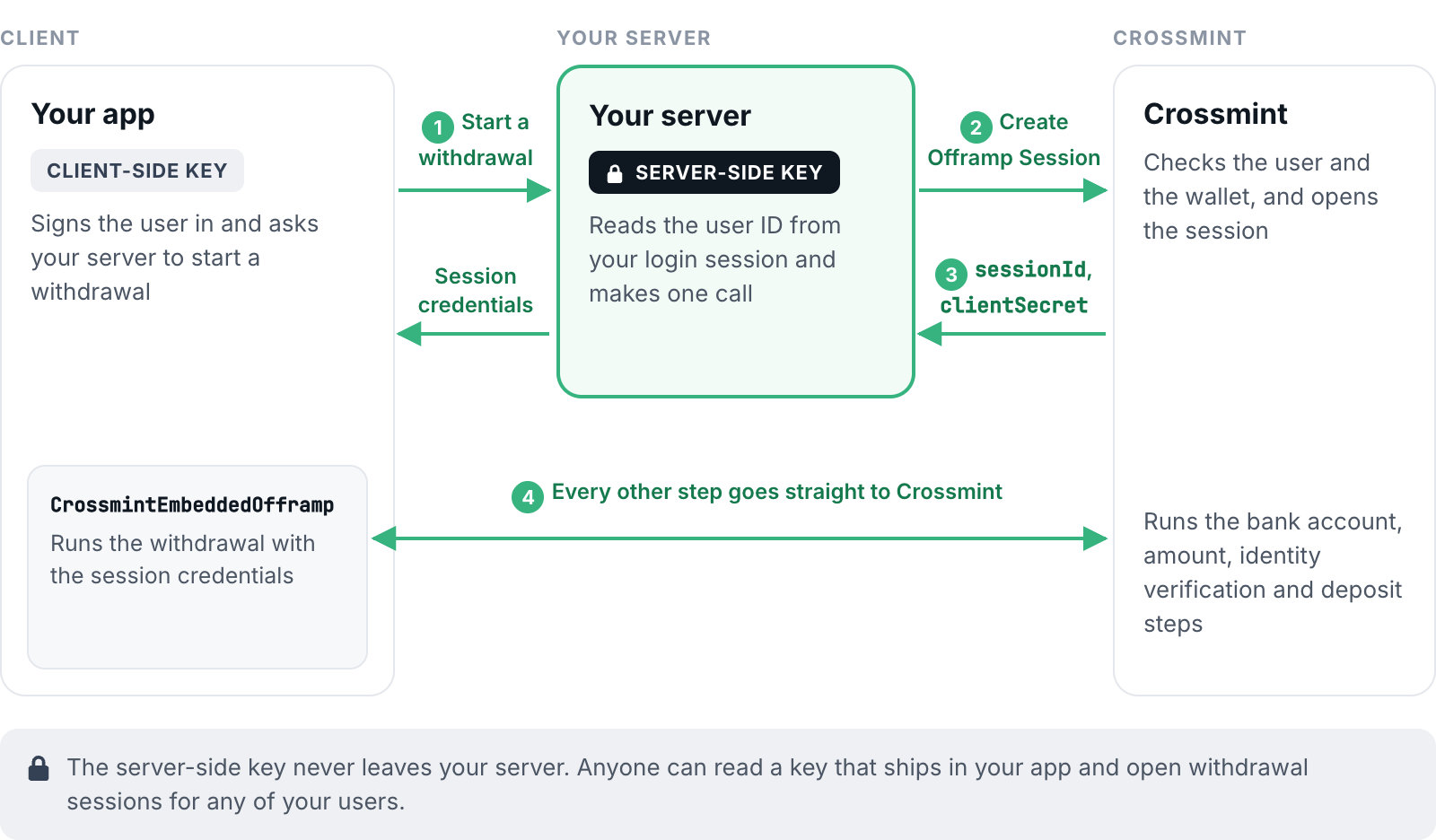
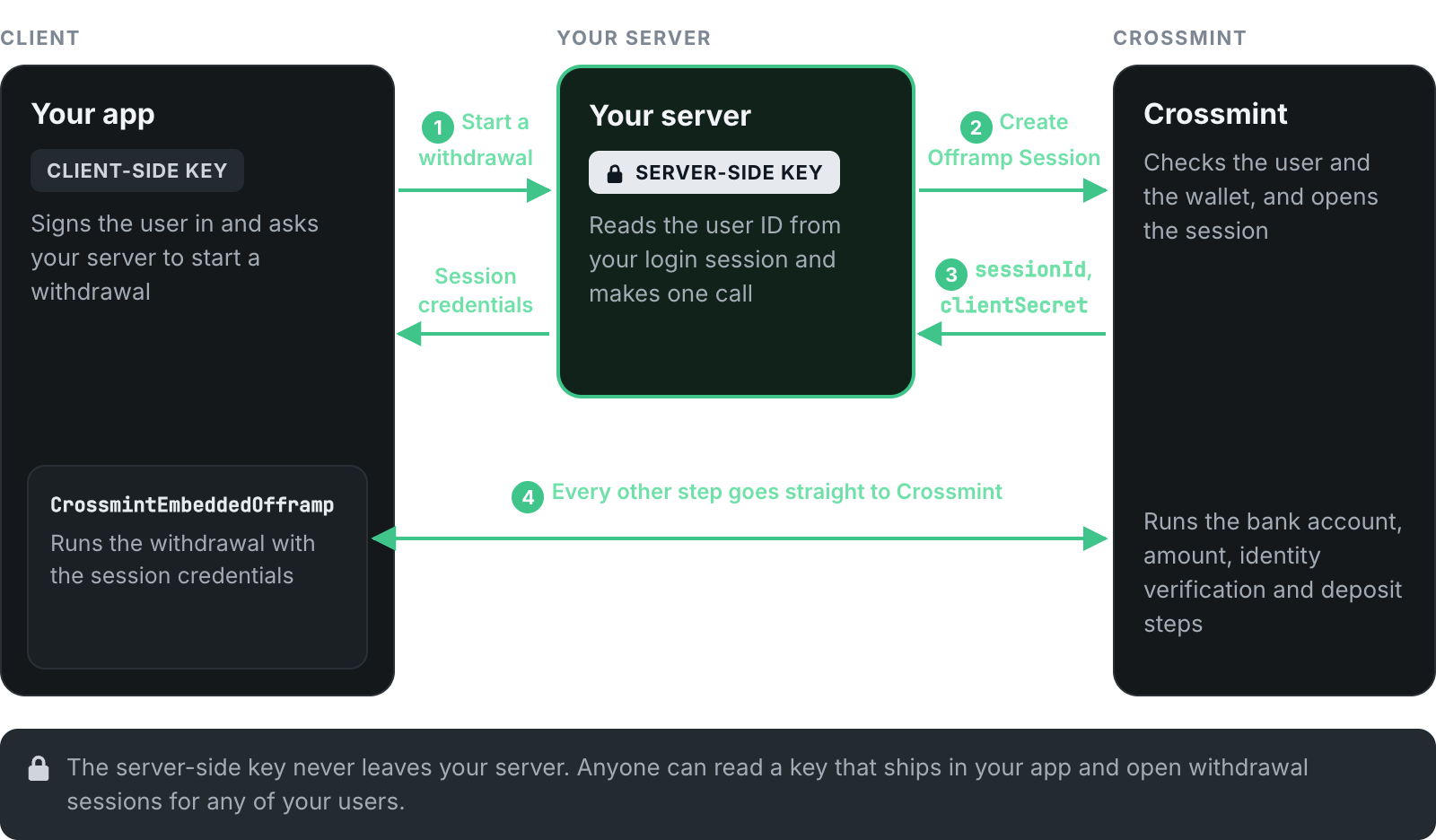 Make the call on your backend. Anyone can read a key that ships in the app, and with your server API key they could open withdrawal sessions for any of your users. This example uses Express, but you can use any backend framework:
The app calls your backend over HTTPS, because iOS and Android block plain HTTP by default. To test on a device, serve the route above at an HTTPS URL the device can reach, such as a deployed staging server or an HTTPS tunnel like ngrok, and put its host name in place of
server/offrampSession.ts
userLocatoris the user who withdraws, asuserId:<USER_ID>.payeris the wallet the deposit is sent from: itsaddress, and itschain(base,base-sepolia,polygon,polygon-amoyorsolana). It must be owned by or linked to the user.receiptEmailis where the withdrawal receipt is sent.
sessionId and clientSecret, which the component takes as its credentials, and expiresAt, when the session stops accepting new withdrawals (one hour after it is created). The component keeps showing the withdrawal's status for 24 hours. Calling the endpoint again for the same user and wallet returns the same open session until it is used or expires, and that session keeps the receiptEmail it was created with: the one in the new request is ignored.Example response (201)
Example response (201)
YOUR_BACKEND_URL.Render the offramp component
Create a composable that asks your backend for a session and renders Render
CrossmintEmbeddedOfframp. The payer signs and sends the deposit with your wallet code, which the screen takes as sendDeposit. With fill = true, the offramp fills the space its container gives it and scrolls inside itself:WithdrawScreen.kt
WithdrawScreen with the signed-in user’s ID and email, the address and chain of their wallet, and your wallet code as sendDeposit. The component calls sendDeposit with the deposit to send:serializedTransaction: a serialized transaction on EVM chains, or a base58 legacy transaction withfeePayerandrecentBlockhashset on Solana. Sign and broadcast it unchanged.chainandpayerAddress: the chain and wallet the deposit was prepared for. Refuse to send from a wallet that does not match. See Refuse a mismatched wallet.
OfframpTransactionResult.Sent(txId): the transaction was broadcast.txIdis the transaction hash, or the signature on Solana.OfframpTransactionResult.Rejected: the user declined and nothing was broadcast. The component offers the withdrawal again with a new rate.OfframpTransactionResult.Unknown: the transaction may have been broadcast. The component waits for the deposit instead of letting the user send it twice. A thrown exception counts asUnknown.
sendDeposit runs, because the component has to stay on screen to pass your wallet’s answer back to the offramp.Without fill, the component takes the height of the page, at least 650px plus padding, and grows when a screen needs more. See Sizing.Handle the events
The component shows its own screens for every step and every error, so the events are for your app's state and your logs:
onCompletefires with theorderIdand the deposit'stxIdonce the deposit is confirmed and the payout to the bank is on its way. It can fire again for the same order when the user reopens a completed withdrawal, so dedupe byorderId. The payout can still fail afterwards, so confirm the payout on your server.onCancelfires when the user closes the flow: Continue on the Withdrawal sent screen, Close on a failure screen, or Cancel when the order's bank account cannot be loaded. Unmount the component there. WithoutonCancel, those buttons do nothing. Closing the view while the deposit is confirming does not stop the deposit or the payout. Keep the latestorderIdfromonStatusChangeand follow it with Manage Orders or webhooks.onErrorreports areason, whether it isretriable, and amessagefor your logs. Whenretriableisfalse, the session cannot continue, so unmount the component. When the component shows a failure screen, its Close button callsonCancel. Forinvalid-credentials, create a new session to start over.onStatusChangereports each step of the flow with the currentorderId. TheorderIdcan change within one withdrawal, for example after identity verification or when the user takes a new rate, so keep the latest one. Thefailedstatus always ends the session, whateverretriablesays.
onCancel. No other screen has a Cancel button, so give the user your own way to close the component, like the Close button in the example above.Handle Offramp Events and Errors lists every status and error reason.Test on staging
- Fund the wallet with testnet USDC from the Circle faucet.
- Select Withdraw to bank, add a US bank account, and enter an amount. Use a bank account number that is unique to your integration.
- If the user is not verified yet, verify their identity when the component asks.
- Review the quote and confirm with Hold to confirm. The payer signs and sends the deposit, and the status moves through
confirming-deposittocompleted, whenonCompletefires.
Prove Wallet Ownership
An order can need proof that the user owns the wallet. To let the component ask for it, passsignMessage to EmbeddedOfframpPayer. The component calls it with a Crossmint sign-in challenge for payerAddress. Return OfframpMessageResult.Signed(signature) with the EIP-191 personal_sign signature as a 0x-prefixed hex string on EVM chains, or the base64 encoding of the 64-byte ed25519 signature over the UTF-8 message on Solana. Return OfframpMessageResult.Rejected when the user declines. Adding or removing signMessage reloads the offramp.
Without signMessage, the component stops with the wallet-ownership-required error. Link the wallet again with an ownership proof, then create a new session. For Solana deposits, see Offramp Orders on Solana.
Troubleshooting
The session request fails
The session request fails
Create Offramp Session returns a
code that names the problem:invalid-user-locator(400): the locator is notuserId:<USER_ID>.chain-not-supported(400): the chain is not supported, or the address is not valid on it.payer-not-linked(400): the wallet is not owned by or linked to this user.user-not-found(404): no user with this locator exists in your project. Create the session for the user ID (sub) in your own JWT.kyc-not-configured(403): KYC is not configured for your project. Contact Crossmint to set it up.addon-required(403): Offramp or bank account payment methods are not enabled for your production project. Contact Crossmint to enable it.- No
code(403): the API key is missing or invalid, is not a server key, or lacks theorders.createorpayment-methods.createscope. Create the session from your backend with a server API key that has both scopes. Themessagenames the missing scopes. - No
code(429): your project sent too many requests in a minute. Wait and retry.
Cancel, Continue or Close does nothing
Cancel, Continue or Close does nothing
Those buttons call
onCancel. Pass an onCancel handler that closes the component.The session has expired
The session has expired
A session accepts new withdrawals for one hour after it is created. A withdrawal whose deposit was never recorded also ends on this screen when the session's 24-hour status window closes. Create a new session and pass its credentials to the component.
The component renders nothing
The component renders nothing
The component needs an Android System WebView that supports
WEB_MESSAGE_LISTENER. On an older WebView, onError reports a non-retriable error and the component renders nothing. Ask the user to update Android System WebView from the Play Store.Launching in Production
- Ask Crossmint to enable Offramp and bank account payment methods for your production project (contact Crossmint).
- Create production API keys with the same scopes in the production console, and replace your staging keys.
- Create sessions at
https://www.crossmint.com/api/unstable/offramp-sessions. - Follow Launch in Production for the remaining go-live steps.
Learn More
Handle Offramp Events and Errors
What each status and error reason means
Embedded Offramp UI Customization
Style the offramp screens with your appearance settings